
Overview
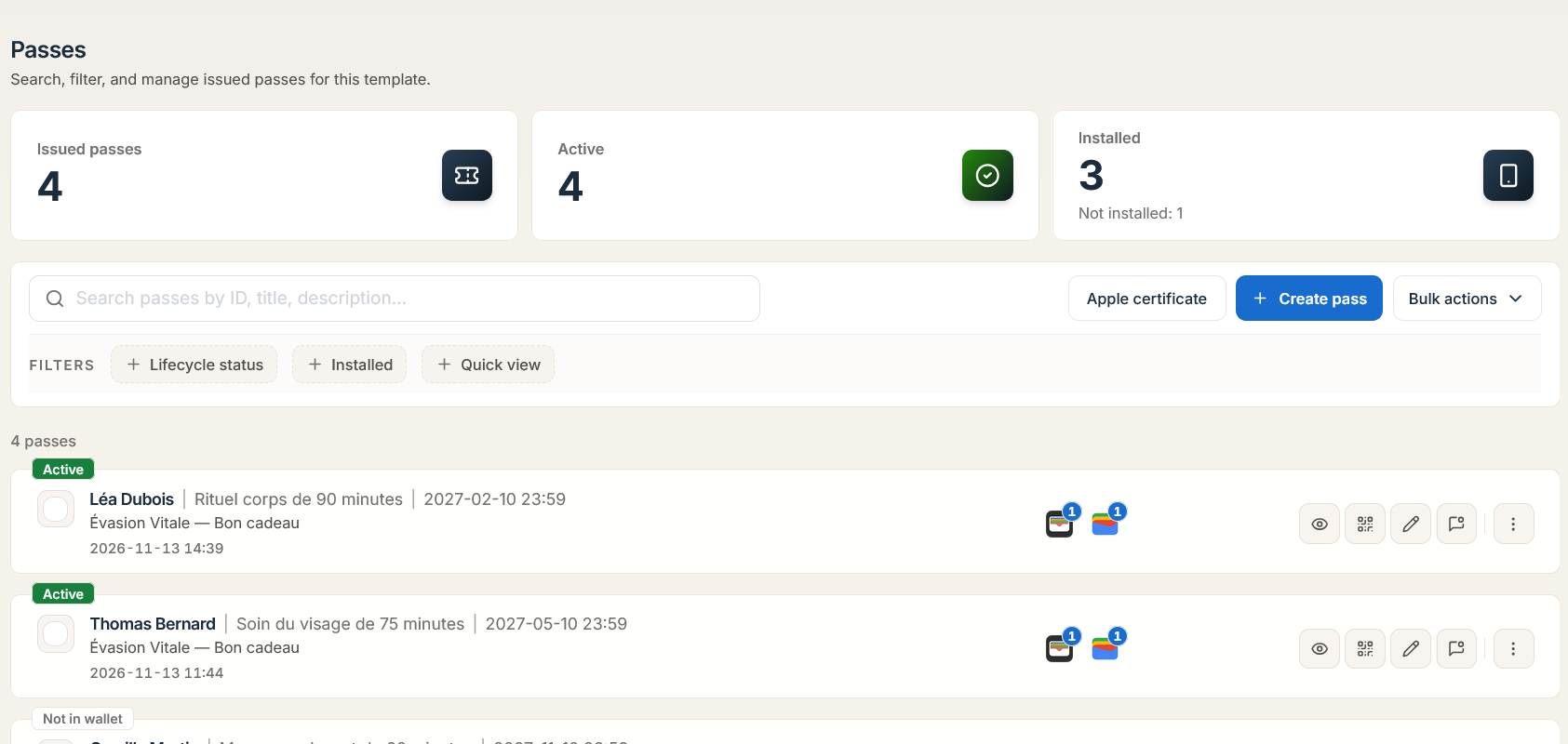
Open Passes in the Dashboard (either in the global workspace directory or scoped inside a single template's Passes tab) or query /api/v1/passes to inspect, filter, audit, update, and migrate issued pass records in real time. Every mutation to a pass record's fields or template assignment automatically synchronizes to registered Apple Wallet and Google Wallet devices.
System Architecture: Pass Querying, Mutation & Template Switching
1. Searching & Filtering Passes (GET /api/v1/passes)
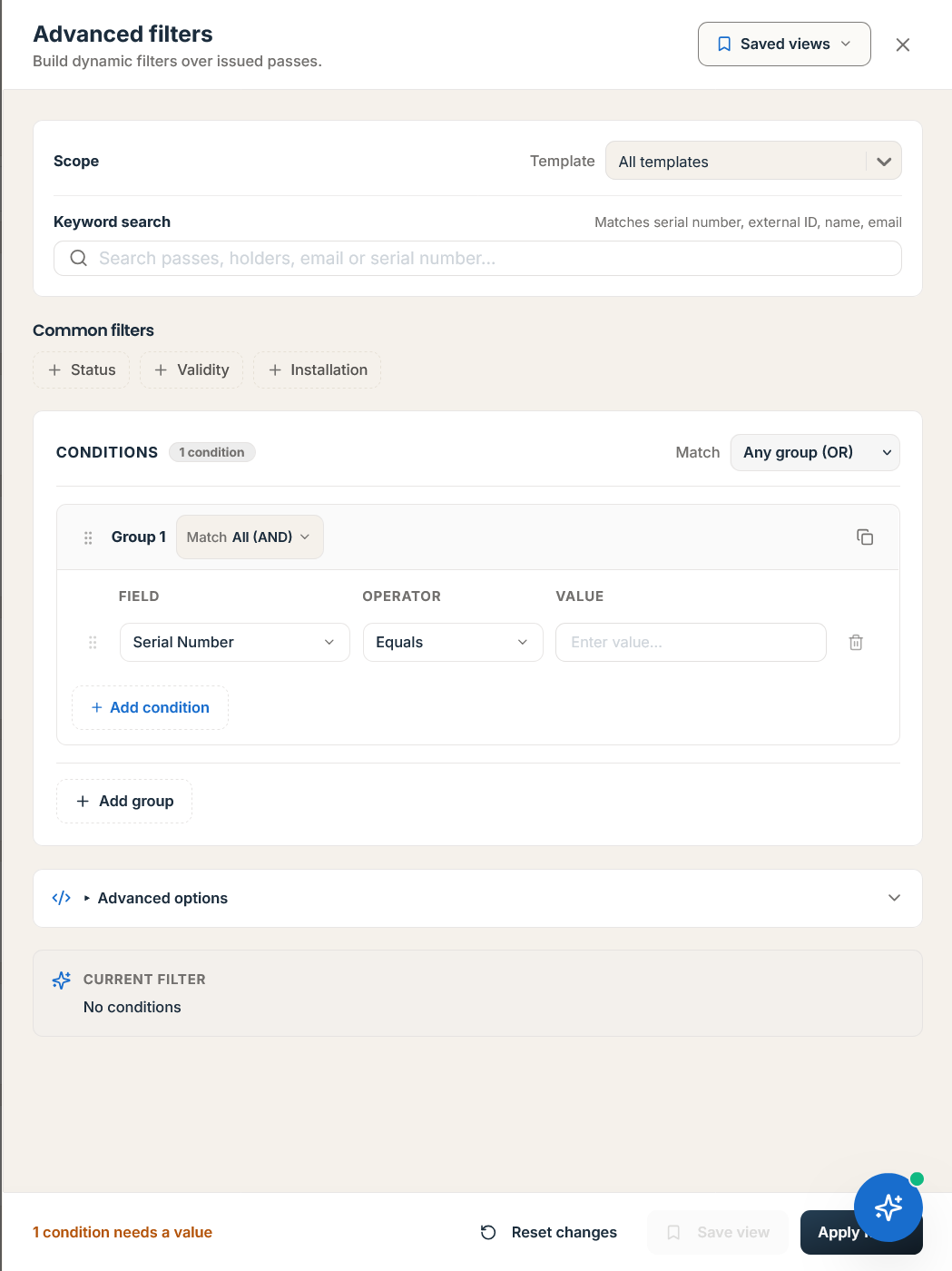
In the Dashboard, open Filters to combine AND / OR Condition Groups across system columns and custom structured JSON attributes, then save frequent queries as Saved Views:
-
Identity & Keys:
serialNumber,externalId,bundleId,idempotencyKey, or passid. -
Lifecycle & Status:
status(pass status),lifecycleStatus(PassLifecycleStatus),walletVoidStatus(WalletPropagationStatus), and artifact readiness (appleArtifactStatus,googleArtifactStatus). -
Wallet Installation State:
Installed,Not Installed, orRemovedacross Apple Wallet (iOS) and Google Wallet (Android) device registrations. -
Date Windows:
createdAt,updatedAt,expirationDate, andlastScannedAtrange filters. -
structured JSON Custom Attributes (
attribute search index): High-speed containment and comparison filters against any key insidepass.attributes(for example,attributes.memberTier = "VIP"orattributes.pointsBalance >= 1000).
Example: Query Passes & Look Up by External ID
-
GET /api/v1/passes?templateId=tmpl_01hxyz987654321&status=ACTIVE&externalId=crm_usr_44910&page=1&limit=25 -
GET /api/v1/passes/by-external-id/crm_usr_44910(returns the live non-deleted pass matchingexternalIddirectly without storing internal UUIDs externally)
2. Updating an Individual Pass (PATCH /api/v1/passes/:id)
Updating a pass merges new values into attributes, adjusts expirationDate or barcodeValue, and queues an immediate push update to all devices where the pass is installed. If a modified field has a changeMessage containing %@ configured on the template, Apple Wallet displays a native lock-screen alert.
HTTP Request
PATCH /api/v1/passes/pass_01j8k9m2n3p4q5r6 Headers: X-API-Key: <API_KEY> | Content-Type: application/json
{
  "attributes": {
    "pointsBalance": 1450,
    "memberTier": "Platinum"
  },
  "barcodeAltText": "44910-PLATINUM",
  "expirationDate": "2028-12-31 23:59"
}
HTTP Response (200 OK)
{
  "success": true,
  "data": {
    "id": "pass_01j8k9m2n3p4q5r6",
    "serialNumber": "PI-GOLD-2026-44910",
    "externalId": "crm_usr_44910",
    "bundleId": null,
    "status": "ACTIVE",
    "lifecycleStatus": "ACTIVE",
    "walletVoidStatus": "QUEUED",
    "attributes": {
      "firstName": "Marcus",
      "lastName": "Vance",
      "email": "marcus.vance@example.com",
      "pointsBalance": 1450,
      "memberTier": "Platinum"
    },
    "updatedAt": "2026-11-15T17:30:00.000Z"
  },
  "statusCode": 200
}
3. Auditing Pass History & Event Timeline
Passinstance tracks two complementary audit streams for every pass record:
| Endpoint | Scope & Returned Data | |||
|---|---|---|---|---|
GET /api/v1/passes/:id/history | Returns chronological field and attribute mutations (previousValue, newValue, changedBy, `source: 'API' \ | 'SCANNER' \ | 'DASHBOARD' \ | 'WORKFLOW', timestamp`). |
GET /api/v1/passes/:id/timeline | Returns the unified lifecycle and engagement stream, combining pass creation, email/SMS delivery events, Apple/Google device installations, scanner validations, balance adjustments, and push notifications. |
Example: Fetch Pass Timeline
/api/v1/passes/pass_01j8k9m2n3p4q5r6/timeline
{
  "success": true,
  "data": {
    "passId": "pass_01j8k9m2n3p4q5r6",
    "events": [
      {
        "eventId": "evt_03",
        "type": "ATTRIBUTE_UPDATED",
        "summary": "pointsBalance changed from 500 to 1450",
        "actor": "api_key:pi_live_99a8",
        "createdAt": "2026-11-15T17:30:00.000Z"
      },
      {
        "eventId": "evt_02",
        "type": "WALLET_INSTALLED",
        "platform": "APPLE_WALLET",
        "deviceLibraryIdentifier": "dlib_8841209a",
        "createdAt": "2026-11-15T15:10:05.000Z"
      },
      {
        "eventId": "evt_01",
        "type": "PASS_CREATED",
        "summary": "Pass issued via REST API",
        "createdAt": "2026-11-15T15:04:12.000Z"
      }
    ]
  },
  "statusCode": 200
}
4. Live Template Migration (POST /api/v1/passes/:id/switch-template/:targetTemplateId)
When a customer upgrades to a new tier design or transitions between seasonal programs, you can migrate an existing pass to a different PUBLISHED template without changing the pass's id, serialNumber, authenticationToken, or active device registrations.
POST /api/v1/passes/pass_01j8k9m2n3p4q5r6/switch-template/tmpl_platinum_vip_999 Headers: X-API-Key: <API_KEY> | Content-Type: application/json
{
  "preserveAttributes": true,
  "attributeOverrides": {
    "vipLoungeAccess": "Unlimited"
  },
  "pushUpdateImmediately": true
}
Important: To switch a pass to
:targetTemplateIdseamlessly on Apple Wallet devices, both the source template and the target template must share the same ApplepassTypeIdentifier(Pass Type ID Certificate). If the target template uses a different Pass Type ID, iOS treats it as a separate card rather than an in-place visual replacement.
For state transitions and voiding rules, see Pass Lifecycle & Statuses. For multi-record updates, see Bulk Operations.