
Overview
Individual pass issuance allows operators and backend integrations to generate a single personalized digital wallet card from any PUBLISHED template. Whether triggered manually from the Dashboard's Create pass drawer or programmatically via REST API, Passinstance assigns a cryptographically unique serialNumber and authenticationToken, hydrates all dynamic {variable} fields, signs the Apple .pkpass bundle and Google Wallet JWT, and returns an immediate smart distribution URL (passAccessUrl).
System Architecture: Single Pass Issuance & Idempotent Upsert
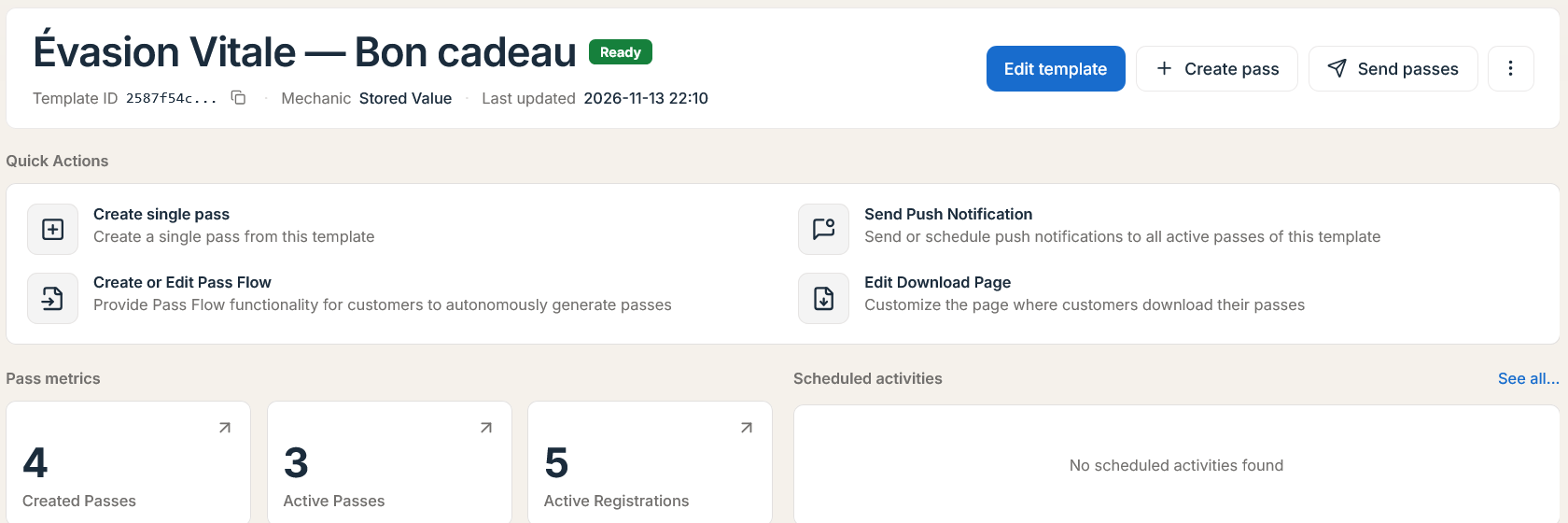
Issuing a Single Pass Manually in the Dashboard
-
1
Navigate to your Published template overview page.
-
2
Click Create pass in the top header (or under Quick actions).
-
3
Fill in every Required Custom Property marked on the form (for example: customer name, email/phone if needed for sendouts, initial stamp count, or
externalId). -
4
Submit to generate the pass immediately.
-
5
Copy the unique Download URL (
passAccessUrl), display the Installation QR code to scan with a smartphone, or trigger a delivery email directly from the pass detail drawer.
Prerequisites: Publish your template (
POST /api/v1/templates/:id/publish) with valid Apple Pass Type ID / Google Wallet credentials before issuing live passes. Internally,resolvePassCreationTemplateIdresolvestemplateIdto its basePRODUCTION/PUBLISHEDrevision and rejectsDELETING/DELETEDtemplates (BadRequestException/NotFoundException).
Programmatic Issuance API Reference
1. Create a New Pass (POST /api/v1/passes)
Creates a new pass record via request payload, honoring an optional HTTP Idempotency-Key header (idempotencyKey, max 128 chars matching [A-Za-z0-9._:-]+, protected by SHA-256 request digest) and optional query params ?includePassSource=apple|google and ?pin=.
request payload Request Parameters
| Field | Type | Required | Description |
|---|---|---|---|
templateId | string (UUID) | Yes | Template UUID (automatically resolved to its live PRODUCTION/PUBLISHED base row). |
externalId | string | Optional | Tenant-unique CRM/POS/order identifier (max 255 chars; enforced unique per live non-deleted pass via @@unique([customerId, externalId])). |
serialNumber | string | Optional | Custom unique serial number (generated automatically if omitted). |
barcodeValue | string | Optional | Explicit barcode payload. Defaults to template barcode config or generated value. |
barcodeAltText / barcodeAlternativeText | string | Optional | Human-readable caption printed beneath the barcode for manual cashier entry. |
attributes | Record<string, any> | Optional | Key-value structured JSON dictionary matching your template's Custom Property keys. |
expirationDate | string | Optional | Expiration date/time (<= 10 years in the future, parsed in workspace timezone). |
validityAsOfDate / validAsOfDate | string | Optional | Start validity date/time (issuedDate). |
enableDownloadUntil | string | Optional | Download cut-off ("YYYY-MM-DD HH:mm" or ISO timestamp). |
sharingProhibited | boolean | Optional | Overrides template anti-sharing setting (limitToOneActivePerPass). |
validationPlaces | string[] | Optional | Allowed validation place overrides when enabled on the template. |
skipDistributeOnCreate | boolean | Optional | Suppresses automatic post-creation sendouts (email/SMS) when issuing via API. |
Example Request
POST /api/v1/passes?includePassSource=google Headers: X-API-Key: <API_KEY> | Content-Type: application/json | Idempotency-Key: crm_usr_44910_v1
{
  "templateId": "tmpl_01hxyz987654321",
  "externalId": "crm_usr_44910",
  "serialNumber": "PI-GOLD-2026-44910",
  "barcodeValue": "PI-GOLD-2026-44910",
  "barcodeAltText": "44910-GOLD",
  "expirationDate": "2027-12-31 23:59",
  "attributes": {
    "firstName": "Marcus",
    "lastName": "Vance",
    "email": "marcus.vance@example.com",
    "pointsBalance": 500,
    "memberTier": "Gold"
  }
}
Example Response (API response envelope)
{
  "success": true,
  "data": {
    "id": "pass_01j8k9m2n3p4q5r6",
    "templateId": "tmpl_01hxyz987654321",
    "customerId": "cust_ws_88219",
    "externalId": "crm_usr_44910",
    "bundleId": null,
    "idempotencyKey": "crm_usr_44910_v1",
    "serialNumber": "PI-GOLD-2026-44910",
    "authenticationToken": "a9f4e2c81b7d60359e12c4b8f7a6d5e0",
    "downloadCode": "dl_94f8a1",
    "barcodeValue": "PI-GOLD-2026-44910",
    "barcodeAltText": "44910-GOLD",
    "status": "ACTIVE",
    "lifecycleStatus": "ACTIVE",
    "walletVoidStatus": "NONE",
    "appleArtifactStatus": "NOT_GENERATED",
    "googleArtifactStatus": "READY",
    "downloadUrl": "https://app.passinstance.com/p/pass_01j8k9m2n3p4q5r6",
    "passAccessUrl": "https://app.passinstance.com/p/pass_01j8k9m2n3p4q5r6",
    "attributes": {
      "firstName": "Marcus",
      "lastName": "Vance",
      "email": "marcus.vance@example.com",
      "pointsBalance": 500,
      "memberTier": "Gold"
    },
    "expirationDate": "2027-12-31T23:59:00.000Z",
    "createdAt": "2026-11-15T15:04:12.000Z"
  },
  "description": "Pass created successfully",
  "errors": [],
  "statusCode": 201
}
Tip — Multi-Pass Bundling (
bundleId): If you create companion passes for a household, flight leg, or event VIP order, assign them to apass bundle(/api/v1/bundles/upsertorPassProject) soPass.bundleIdgroups up to10passes into a unified.pkpasses/ multi-card claim link.
2. Idempotent Upsert & Lookup by External ID (request payload)
In webhook-driven integrations (Shopify, HubSpot, or POS checkouts), network retries can fire the same request repeatedly. Passinstance provides dedicated externalId endpoints scoped to your live tenant passes (archivedAt: null):
-
POST /api/v1/passes/upsert-by-external-id: Creates a pass if no live pass matchesexternalId(action: "CREATED"), or mergesattributes,expirationDate,status(pass status), and optionalchangeMessage(<=500chars) onto the existing pass (action: "UPDATED"). -
PUT /api/v1/passes/by-external-id/:externalId: Upserts using the path:externalIdparameter (externalIdin the body must match or can be omitted). -
GET /api/v1/passes/by-external-id/:externalId: Directly fetches the live pass byexternalIdwithout storing internal UUIDs externally.
Example Request
POST /api/v1/passes/upsert-by-external-id Headers: X-API-Key: <API_KEY> | Content-Type: application/json
{
  "templateId": "tmpl_01hxyz987654321",
  "externalId": "crm_usr_44910",
  "status": "ACTIVE",
  "changeMessage": "Tier updated to Platinum (%@ pts)",
  "attributes": {
    "pointsBalance": 750,
    "memberTier": "Platinum"
  }
}
Example Response (200 OK)
{
  "success": true,
  "data": {
    "pass": {
      "id": "pass_01j8k9m2n3p4q5r6",
      "externalId": "crm_usr_44910",
      "serialNumber": "PI-GOLD-2026-44910",
      "status": "ACTIVE",
      "walletVoidStatus": "QUEUED"
    },
    "action": "UPDATED"
  },
  "description": "Pass updated successfully",
  "errors": [],
  "statusCode": 200
}
For high-volume CSV onboarding or array batch generation, see Bulk Pass Creation and Bulk Operations.