Lumen Store
VIP Gold Rewards
TIER
VIP Gold
POINTS BALANCE
1,250 PTS
MEMBER
Clara Bernard

Earn 1 point per €1 spent on Shopware. Automatic APNs lockscreen updates on paid orders.
Issue digital loyalty cards, stamp cards, coupons, multi-unit gift cards, and event tickets directly into Apple Wallet and Google Wallet. Trigger automated lockscreen pushes on every order—with zero duplicated business logic.
Shopware remains the single source of truth for commerce. Passinstance is the authoritative infrastructure for Wallet passes and lifecycle operations. No competing discount engines, no desynchronized customer ledgers.
Source of Truth for Commerce
Handles all transactional e-commerce operations. Passinstance never re-implements or overrides cart totals, discounts, or promotions.
Source of Truth for Wallet Lifecycle
Handles all mobile wallet infrastructure, cryptographic certificate signatures, APNs push broadcasts, and omnichannel barcode redemption.
From initial store installation to real-time lockscreen updates, experience a friction-free workflow built specifically for high-growth e-commerce merchants and agencies.
Install the Passinstance App directly from the Shopware Community Store or your Administration panel. An automated HMAC handshake connects your store, establishes tenant isolation, and discovers your sales channels.
// Handshake & Webhook Sync
POST /api/v1/shopware/handshake
X-Shopware-HMAC-SHA256: <signature>
{
  "shopUrl": "https://store.brand.com",
  "shopwareVersion": "6.6.1.0",
  "salesChannels": ["Online Store", "B2B Portal"]
}Define your pass mechanics: Points Loyalty with tier progression, Stamp Cards with milestone punches, Promotion Coupons, or Multi-Unit Gift Cards. Customize pass colors, strip banners, logos, and custom barcode types.
// Program Mapping & Mechanics
{
  "programType": "POINTS_TIERS",
  "mechanic": {
    "pointsPerEuro": 1,
    "tiers": ["Bronze", "Silver", "Gold VIP"],
    "applePassType": "storeCard",
    "barcodeType": "QR_CODE"
  }
}When a customer registers or an order status transitions to 'Paid' in Shopware, Passinstance automatically generates their signed pass. Pass download buttons appear on the order confirmation page, in transactional emails, and in the customer account.
// Flow Builder Trigger → Pass Minted
Trigger: state_enter.order_transaction.state.paid
Payload: { orderNumber: "10492", amount: 120.00 }
↓
Pass Generated: https://pass.instance/p/sw_10492
Email & Order Finish Page Buttons InjectedKeep customers engaged with native Apple APNs and Google Wallet push alerts whenever points are earned or balances change. Customers redeem in-store using the Passinstance Scanner app or online using a two-phase concurrency-safe lease.
// Push Notification Dispatch
APNs Payload: {
  "aps": { "alert": "You earned 120 points! New balance: 480 pts" },
  "passTypeIdentifier": "pass.com.brand.loyalty"
}
→ Wallet Pass Update DispatchedConfigure any combination of loyalty cards, punch cards, promo vouchers, multi-unit gift cards, or event tickets with deep Shopware 6 data hydration.
Reward customers for every purchase on your Shopware store. Points are calculated automatically from paid orders and updated on the digital card within milliseconds.
Lumen Store
Earn 1 point per €1 spent on Shopware. Automatic APNs lockscreen updates on paid orders.
Whether a customer spends their stored-value balance at an in-store POS scanner or on your Shopware 6 online storefront, Passinstance protects your financial integrity with distributed lease reservations.
When the customer enters their pass code in the Shopware cart, Passinstance places an atomic temporary hold on the requested balance with a durable lease token.
reserveBalance(passId, €30.00, lease: 15m) → RESERVEDOnce Shopware confirms payment, the lease is committed atomically in the transaction history. The customer's card immediately reflects their updated balance.
commitReservation(token) → DEBITED (€30.00)If the customer closes the browser, empties their cart, or the 15-minute lease expires, the reserved funds are unlocked automatically without merchant intervention.
onLeaseExpired() → RELEASED (Funds Restored)Safe against concurrent web checkout and in-store mobile scanner scans at the exact same second.
Traditional paper cards and email coupons are forgotten or ignored. Digital wallet passes live permanently on customer lockscreens with zero app download friction.
| Feature / Capability | Traditional Paper / Email | Passinstance × Shopware 6 |
|---|---|---|
| Average Customer Open & View Rate | Promotional email inbox | Native Apple Wallet & Google Wallet updates |
| Customer Installation Friction | High (Requires downloading a 100MB mobile app) | Zero (Built into iPhone and Android) |
| Card Accessibility on Mobile | Physical plastic cards can be forgotten at home or misplaced | Saved alongside payment cards inside Apple & Google Wallet |
| Order & Point Sync | Batch updates or manual store imports | Event-driven Shopware 6 webhook sync |
| Multi-Unit Line Item Minting | Single PDF voucher for entire order | Individual passes per unit (easy to gift) |
| In-Store Scanner & Online Concurrency | Vulnerable to double-spend race conditions | 15-minute lease reservation locking |
| Production Setup Time | 3 to 6 months of custom mobile development | < 15 minutes turnkey setup |
Experience the exact customer flow. Scan this live demo pass with your iPhone Camera or Google Wallet to install an interactive retail loyalty pass in seconds.

 Apple Wallet & Google Wallet
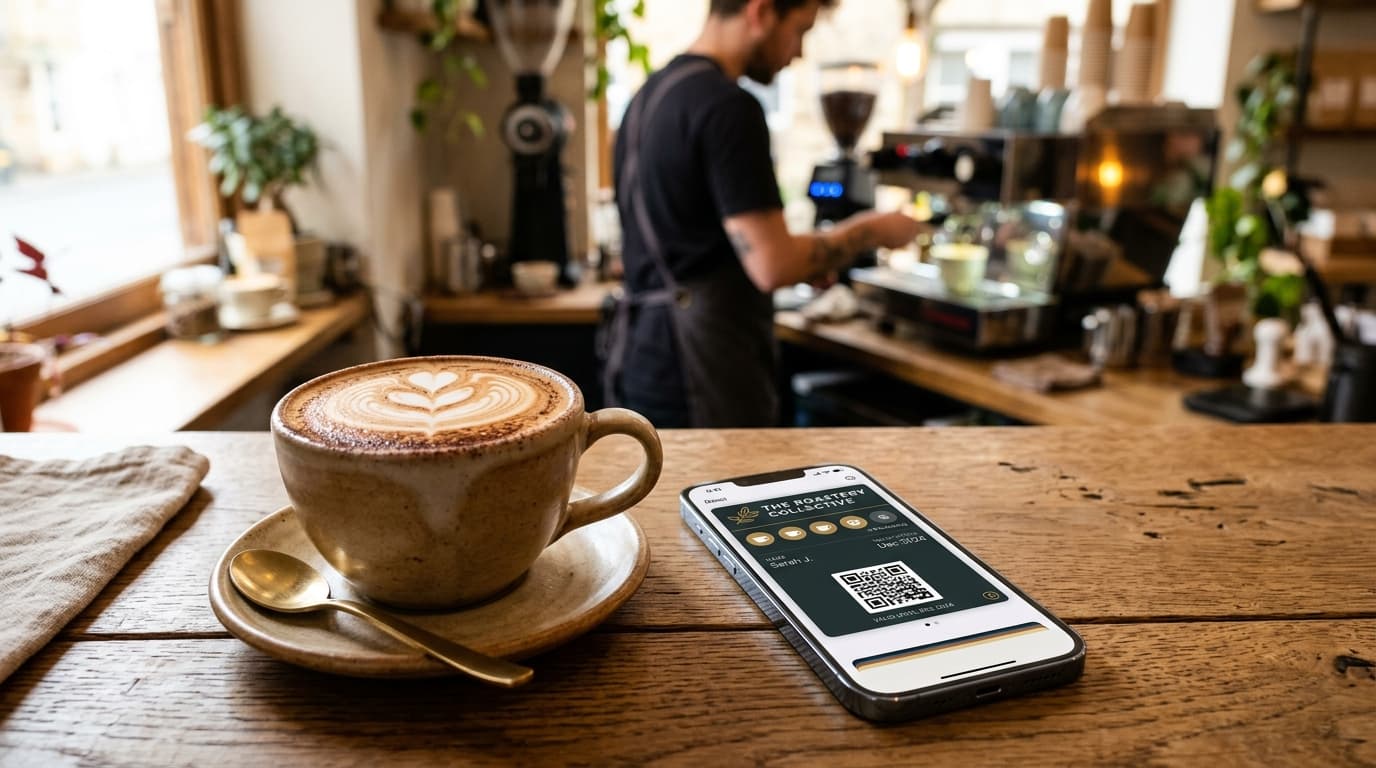
Collect a stamp at the counter. The tenth visit unlocks a free handcrafted Flat White automatically.
Collect a stamp at the counter. The tenth visit unlocks a free handcrafted Flat White automatically.
Category: Loyalty | Wallet compatibility: Apple Wallet (.pkpass) and Google Wallet
Add Handcrafted Coffee Stamp Card to Apple or Google WalletOmnichannel retail loyalty pass with dynamic points accumulation and tier multiplier benefits.
Category: Retail | Wallet compatibility: Apple Wallet (.pkpass) and Google Wallet
Add VIP Fashion Rewards Card to Apple or Google WalletCreate this Wallet experience in your workspace
Start free with this demo context preserved so onboarding can offer the matching template.
Everything technical architects, store owners, and agencies need to know.
Connect your Shopware store in under 15 minutes. Boost customer lifetime value, engagement, and repeat in-store and online visits with digital wallet passes.