01
Paper punch cards get lost, forged, or forgotten before redemption
Physical punch cards stay in wallets or drawers while ink stamps give stores zero audit trail, zero duplicate-scan checks, and zero push re-engagement.
Replace paper punch cards and manual image exports with deterministic stamp grids, built-in duplicate-scan cooldowns, 720 × 720 px custom icons, and automatic post-reward cycles.
WHY STAMP COLLECTION RULES ARE NEEDED
Stamp Pass rules bind scan math, artwork composition, daily limits, and post-reward lifecycle transitions to one verifiable template—eliminating counter errors and manual art exports.
Physical punch cards stay in wallets or drawers while ink stamps give stores zero audit trail, zero duplicate-scan checks, and zero push re-engagement.
Without a dynamic stamp composer, updating your coffee icon or changing a 10-stamp card to 8 stamps requires regenerating every individual state image manually.
Without per-day validation caps, duplicate scan cooldowns, and post-reward cycle rules, staff can double-stamp a single purchase or stall a customer on a completed card.
COLLECTION & REWARD MECHANICS
Whether cashiers punch forward toward a free reward, deduct prepaid visit punches, or update balances from a POS webhook, Stamp Pass rules enforce the full lifecycle.
Each validated scan increments the holder's stamp count by Stamps per validation up to the Stamps required target.
Each scan subtracts stamps from a preloaded or earned stamp balance while blocking scans below minimum zero balance.
Validation scans verify the pass without auto-mutating stamps; adjustments happen explicitly via Studio or API integrations.
Once the reward is claimed, the card resets cleanly to zero stamps so the customer starts collecting again on the same pass.
Keeps every slot filled and marks the pass as complete—ideal for finite challenges, event series, or one-time punch cards.
Automatically launches a fresh collection cycle immediately after reward completion while recording completed cycles in the ledger.
STEP-BY-STEP CONFIGURATION
Follow these six steps inside Stamp Pass -> Stamp collection rules and inspect both Studio tabs below.
In Passinstance Studio, open Points & Tiers -> Stamp Pass (using a strip-enabled pass type such as Store Card, Coupon, or Event Ticket) to configure Collection & rewards, Wallet & assets, and Advanced settings.
Select Add stamps, Deduct stamps, or No automatic change, then enter Stamps required (1 to 50), Start with (e.g. 0), and Stamps per validation (e.g. 1).
Enter a clear Reward name and Reward description, and choose Reset stamps, Keep completed, or Start new cycle once a full card is claimed.
Switch to Wallet & assets to set Grid columns (3, 4, or 5 columns), Stamp size (36px–72px), Grid alignment (Left, Center, Right, Auto), Auto-match stamp slot backgrounds, and Use pass background behind stamps.
Upload custom transparent PNG/SVG brand artwork for earned stamps and the final reward slot—or leave them optional to use Studio's crisp built-in icons.
Toggle Do not exceed required stamps, Allow multiple validations per day, and set Duplicate scan protection (default 5 minutes) before publishing and scanning a live Wallet pass.
Collection & rewards — validation mode, stamp target & post-reward behavior
Configure how scans affect balances (Add stamps, Deduct stamps, or No automatic change), set 8 Stamps required, name your reward, and pick Reset stamps, Keep completed, or Start new cycle.
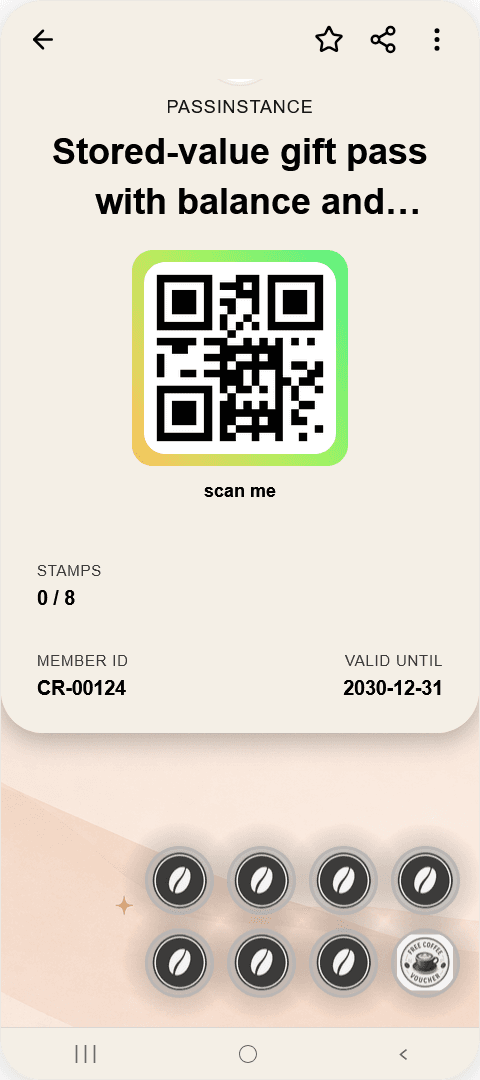
Upload your stamp icons once in Studio. Passinstance automatically generates native strip compositions on iPhone and Android hero cards on every scan.
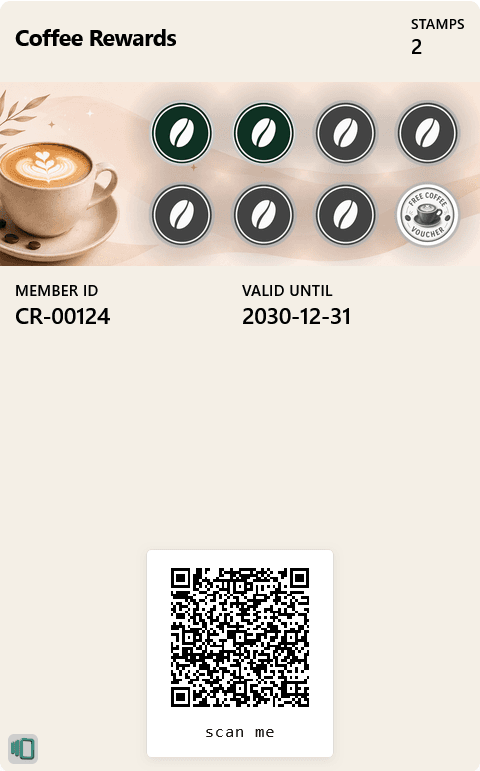
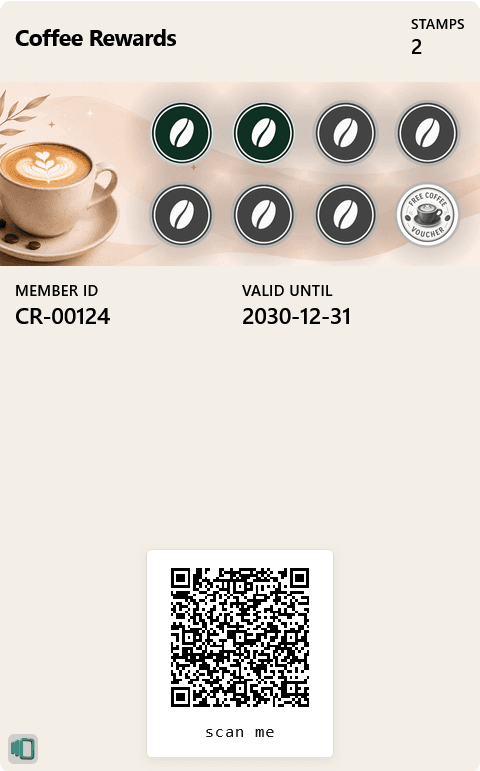
Renders the composite coffee strip banner above member ID and expiry fields with a crisp scannable QR code.
Positions the QR code, stamp counter, member ID, and validity date up front, paired with the dynamic hero stamp graphic below.
GUARDRAILS & ADVANCED SETTINGS
Expand Advanced settings inside Stamp collection rules to prevent abuse at busy checkout counters while keeping visual rendering uniform on Apple Wallet and Google Wallet.
Prevents scans from pushing stored stamp counts past Stamps required (`MAXIMUM_EXCEEDED`), keeping wallet grid progress clean.
Keep Allow multiple validations per day off to restrict holders to one stamp per calendar day, or turn it on for high-frequency cafes and orders.
Configurable cooldown in minutes (5 minutes by default) blocks unintentional back-to-back camera scans of the same pass at checkout.
Computes active, inactive, and final reward slot coordinates automatically on your strip/poster artwork across Apple Wallet and Google Wallet.
Fine-tune Stamp shape (Circle, Square, Rounded), Stamp spacing (2–24px), Background separation opacity (0–60%), fixed Rows, or custom Reward slot position.
In Deduct stamps mode, scans with fewer stamps than requested reject safely with `INSUFFICIENT_BALANCE` instead of dropping below zero.
FREQUENTLY ASKED QUESTIONS
Stamp Pass cards support 1 to 50 total stamps per cycle (`Stamps required`) and 1 to 10 stamps per validation scan, arranged across 3, 4, or 5 visual columns in Studio.
Visual stamp strips render on pass types with strip image slots—Store Card, Coupon, and Event Ticket—as well as supported poster variants, across both Apple Wallet and Google Wallet.
Both Stamp icon and Reward icon are optional. When uploaded (recommended 720 × 720 px transparent PNG/SVG), Passinstance stamps them into each active and reward slot; if omitted, clean default stamp and reward icons are generated automatically.
Reset stamps empties collected slots back to Start with when the reward is redeemed; Keep completed leaves the card full and marked finished; Start new cycle begins the next stamp card cycle automatically for ongoing repeat loyalty.
Under Advanced settings, Duplicate scan protection blocks repeat scans of the same pass for your configured cooldown (default 5 minutes), and keeping Allow multiple validations per day off caps earning at one validation per day.
Combine or compare stamp punches with multi-tier point thresholds, WCAG palettes, and automatic upgrade pushes.
See retail, coffee shop, and salon workflows built on Apple Wallet & Google Wallet stamp cards.
Scan QR and NFC passes at the counter to award stamps, claim full cards, and enforce cooldown rules.
Start free, customize your 3/4/5-column stamp grid and 720 × 720 px icons, and test Apple Wallet & Google Wallet scans immediately.