
Primary Workspace Navigation
The Passinstance administrative dashboard provides a unified interface for operational monitoring, card design studio, bulk batch processing, and developer configuration. The left-hand navigation sidebar organizes daily workflows into specialized functional hubs:
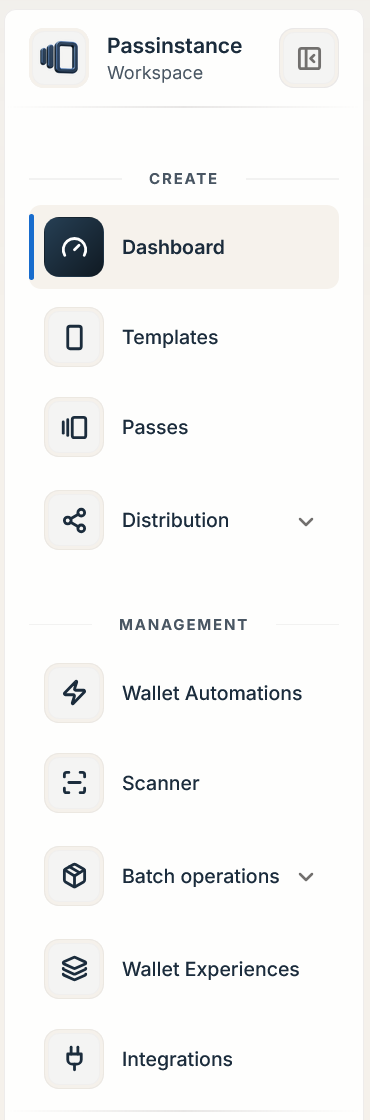
| Navigation Hub & Route | Primary Responsibilities | Backing Backend Capabilities & Entities |
|---|---|---|
Dashboard (/dashboard) | Live workspace KPIs, real-time event telemetry, and pass health metrics | Backed by Dashboard Analytics API (/api/v1/dashboards/analytics), multi-widget rows, and real-time event streams. |
Templates (/templates) | Visual pass studio with 7 detail tabs (Overview, Passes, Distribution, Scanner, Analytics, Activity log, Settings) | Implements single-table versioning (Template), pre-publish risk checks, custom identifier regex rules, and bundler settings. |
Passes (/passes) | Directory of all issued passes, externalId lookup, bundleId grouping, history timelines, and drawer edits | High-concurrency directory backed by structured JSON attributes, lifecycle transitions (PassLifecycleStatus), and instant deactivation/voiding. |
Distribution (/templates/download-pages, /delivery-center, /pass-flows) | Groups Download Pages (DownloadPage), Delivery Center (EmailSendCampaign), and Pass Flows (PassFlow) | Manages public claim pages (/d/:slug), Email/SMS delivery campaigns, and multi-step registration/payment intake (/f/:url). |
Automations (/automations, /workflows) | Event-driven and e-commerce automation rules | Evaluates UniversalAutomation rules and Workflow triggers (workflow trigger type, workflow action type). |
Scanner (/scanner/configs) | Counter validation, gate check-in, validation places, and hardware reader setup | Manages ValidationPlace, ScannerConfiguration, mobile scanner pairings (ScannerKey), and NFC/POS adapters. |
Batch (/batch-processing, /batch-notifications) | Asynchronous high-volume CSV issuance wizard and scheduled wallet notifications | Drives Batch Jobs API (/api/v1/batch-processing) and Batch Notifications API (/api/v1/batch-notifications). |
Wallet Experiences (/wallet-experiences / /pass-projects) | Multi-card project hub (Overview, Cards, Audience, Automations, Distribution, Analytics, Settings) | Manages PassProject, PassProjectTemplateRole, .pkpasses bundles, and cross-pass automations. |
Integrations & Analytics (/settings/workspace/integrations, /analytics) | Connected CRM/POS connectors, webhooks, API keys, and reporting suites | Manages webhooks (/api/v1/webhooks/*), scoped API keys, and /api/v1/analytics/* reports. |
Dashboard Architecture & Telemetry Endpoints
The dashboard metrics engine is powered by a modular widget and caching architecture (Dashboard, Row, Widget, and SharedDashboard entities in Passinstance database). The backend coordinates with Cache Manager to deliver responsive analytics without imposing query load on transactional pass tables:
Key Telemetry Endpoints
Developers and data platforms can query these analytics endpoints using standard Bearer or session cookie authentication:
-
GET /api/v1/dashboards/analytics: Returns aggregated workspace metrics backed byDashboard Analytics Engine.getDashboardAnalyticsandCache Manager. -
GET /api/v1/dashboards/metrics/realtime: Provides high-frequency workspace activity counts and recent installation/scan telemetry. -
GET /api/v1/dashboards/analytics/range?startDate=YYYY-MM-DD&endDate=YYYY-MM-DD: Returns time-series cohorts over a custom period. -
GET /api/v1/dashboards/performance: Monitors operational scan and pass delivery performance metrics. -
GET /api/v1/dashboards/insights: Surfaces automated operational recommendations across your workspace. -
GET /api/v1/dashboards/export?format=csv|json|pdf: Exports raw dashboard metric tables for BI and reconciliation.
Functional Hubs & Workspace Views
1. Templates Studio (/templates/:id/*)
Create and edit visual templates across 7 tabs (Overview, Passes, Distribution, Scanner, Analytics, Activity log, Settings). Configure image asset slot slots, check WCAG color contrast, manage custom identifier rules, and iterate in an isolated DRAFT state before publishing.
2. Pass Directory & Timeline (/passes)
Search across issued passes using full-text search and filters (status, templateId, externalId, bundleId). Open any pass row in Pass Details panel to inspect its chronological timeline (GET /api/v1/passes/:id/history and /timeline), view paired devices, or trigger push updates.
3. Batch Operations Center (/batch-processing)
Follow the wizard steps (Template -> Upload CSV -> Map Fields -> Sendout options -> Process) to bulk-issue or update passes from CSV files. Download sample schemas (GET /api/v1/batch-processing/templates/:templateId/sample-csv), review field-mapping recommendations (POST /api/v1/batch-processing/templates/:templateId/field-mapping-recommendations), and download /result.csv containing every generated pass URL and externalId.
Important: All dashboard telemetry and search queries are strictly scoped to your active workspace tenant (
customerId). Sibling workspaces within the same organization remain completely isolated.
Explore every view interactively in our Interactive Workspace Tour.