
Overview
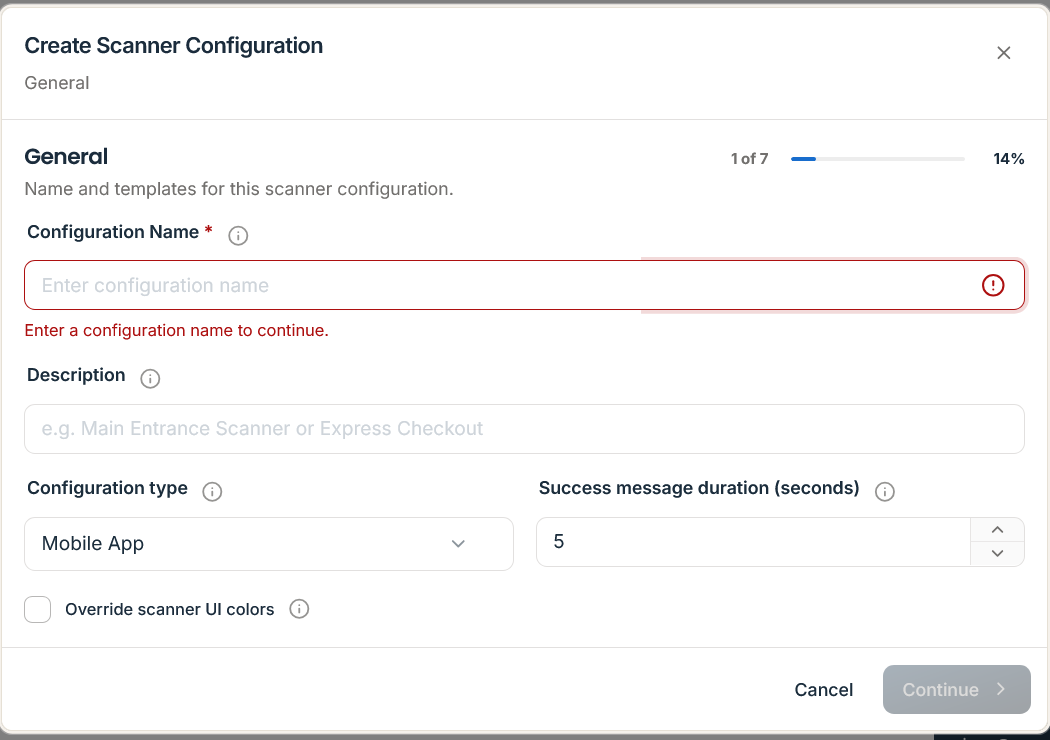
Every scan submitted to POST /api/v1/scans is evaluated against the active ScannerConfiguration (resolved either from the bound x-scanner-key or scannerConfigurationId / validationConfigId in request payload) and a deterministic, 14-rule Validation Rules Engine pipeline. Together, these settings govern whether a pass records attendance, voids upon single use, toggles venue check-in state, mutates stored value, or enforces cryptographic anti-replay nonces.
Important: Validation rules execute atomically on the server. When a scan mutates pass state (such as
VOIDED_AFTER_SCANorStoredValueOperation.SUBTRACT), duplicate concurrent requests are serialized using idempotency locks (x-idempotency-key) to prevent race conditions across multiple registers.
Configuration & Outcome Enumerations
When configuring validation profiles in Scanner -> Scanner Configurations (/scanner/configs) or via /api/v1/validation/configs, five Passinstance database enumerations control terminal behavior and persisted scan outcomes:
1. ScanMode Enum
ScanMode Value | Behavior & State Transition | Typical Use Case |
|---|---|---|
SAVE_ATTENDANCE | Records a valid scan event and executes linked loyalty/stamp mechanics without voiding the pass. | Multi-visit loyalty cards, gym memberships, season passes. |
VOIDED_AFTER_SCAN | Atomically transitions pass status to VOIDED on the first valid scan; subsequent scans return ALREADY_VOIDED. | Single-use coupons, promotional vouchers, one-time entry tickets. |
INVALIDATE_AFTER_SCAN | Marks the pass invalidated after redemption and blocks future acceptance under the validation configuration. | Single-redemption passes and restricted guest vouchers. |
CHECK_IN | Transitions pass attendance state to checked-in; rejects repeat check-ins if already inside. | Conference session entry, controlled-access gates. |
CHECK_OUT | Transitions pass attendance state from checked-in to checked-out. | Venue exit tracking, capacity management. |
CHECK_IN_CHECK_OUT_TOGGLE | Automatically alternates between CHECK_IN and CHECK_OUT on successive scans. | Co-working spaces, multi-day festival wristbands/passes. |
2. Stored Value, NFC & Scan Outcome Enumerations
| Enum Type | Allowed Values | Purpose |
|---|---|---|
StoredValueOperation | NONE, ADD, SUBTRACT, SET | Defines whether a scan leaves balances untouched, tops up credit (ADD), debits purchase value (SUBTRACT), or overwrites balance (SET). |
StoredValueAmountSource | FIXED, OPERATOR, MECHANIC | Determines whether the transaction amount comes from a preset configuration value (FIXED), cashier prompt (OPERATOR), or template mechanic (MECHANIC). |
NfcReaderMode | AUTO, KEYBOARD_WEDGE, APPLE_WALLET, GOOGLE_SMART_TAP | Configures contactless reader protocol negotiation for Apple VAS and Google Smart Tap terminals. |
| scan action | INCREMENT, DECREMENT, VALIDATE, DEBIT, CREDIT, NOOP | Action recorded on each pass-use or scan ledger transaction (request payload also permits SET). |
| scan status | SUCCESS, FAILED, PENDING, INVALID, EXPIRED, ALREADY_USED, ALREADY_VOIDED, CHECK_IN_SUCCESS, CHECK_OUT_SUCCESS, ALREADY_CHECKED_IN, ALREADY_CHECKED_OUT | Granular persisted status stored on the Scan audit record (including explicit check-in/check-out transitions). |
The 14-Rule Validation Rules Engine Pipeline
When POST /api/v1/scans receives a payload, Validation Rules Engine executes 14 prioritized validation rules across four stages (Core -> Mechanics -> Security -> Fallback):
Every rule evaluated during a scan appends its execution result to the ruleTrace array in request payload, providing a complete diagnostic trail.
Anti-Replay Nonces (POST /api/v1/scans/prepare)
To protect high-value tickets and vouchers against static barcode screenshots, terminals can request a short-lived cryptographic scan nonce prior to final execution:
Request
/api/v1/scans/prepare
{
  "scannedBarcodeValue": "PI-TKT-992014",
  "scannerConfigurationId": "scfg_main_entrance_01"
}
Response (201 Created)
{
  "success": true,
  "data": {
    "nonce": "snonce_8841a9c2f01e4b72",
    "expiresAt": "2026-11-15T22:35:30.000Z"
  }
}
Passing "nonce": "snonce_8841a9c2f01e4b72" inside the subsequent POST /api/v1/scans payload satisfies AntiReplayRule and immediately burns the nonce so it cannot be replayed.
Scan Execution Schema (POST /api/v1/scans)
request payload Payload
{
  "scannedBarcodeValue": "PI-LOY-449102",
  "scannerConfigurationId": "scfg_register_01",
  "nonce": "snonce_8841a9c2f01e4b72",
  "timestamp": "2026-11-15T22:35:10.000Z",
  "location": {
    "lat": 52.520008,
    "lng": 13.404954
  },
  "channel": "NFC",
  "protocol": "VAS",
  "validationData": {
    "amount": 18.50,
    "place": "Flagship Berlin Store"
  },
  "operatorId": "emp_cashier_07",
  "terminalId": "pos_term_berlin_02",
  "configurationVersion": 4
}
request payload Payload & Decision Codes
The engine returns one of seven canonical decision values: SUCCESS, FAILED, ALREADY_USED, ALREADY_VOIDED, EXPIRED, INVALID, or PENDING (when operator input is required via scanForm).
{
  "decision": "SUCCESS",
  "status": "ACCEPTED",
  "reasonCode": "RULE_ACCEPTED",
  "ruleTrace": [
    { "rule": "PassStatusRule", "passed": true },
    { "rule": "ExpirationRule", "passed": true },
    { "rule": "LoyaltyProgramRule", "passed": true, "pointsDelta": 185 },
    { "rule": "TierEvaluationRule", "passed": true, "upgradedTo": "GOLD" }
  ],
  "passSnapshot": {
    "id": "pass_loy_449102",
    "templateId": "tmpl_loyalty_01",
    "serialNumber": "PI-LOY-449102",
    "externalId": "crm_cust_44910",
    "status": "ACTIVE",
    "tier": "GOLD",
    "barcodeValue": "PI-LOY-449102",
    "storedValue": "42.00"
  },
  "remainingBalance": "42.00",
  "effects": {
    "oldBalance": "42.00",
    "newBalance": "42.00",
    "pointsDelta": 185,
    "transactionAmount": 18.50,
    "currency": "EUR"
  },
  "display": {
    "title": "Scan Accepted — Gold Tier!",
    "subtitle": "+185 Points awarded",
    "color": "success"
  },
  "configurationVersion": 4,
  "configurationStale": false
}
For auditing completed scans and exporting CSV logs, see Scan History & Results.