
Overview: How Apple Wallet Integration Works
Passinstance generates native Apple Wallet .pkpass bundles (Apple Wallet Packager) conforming to Apple's PassKit package specification for iOS and watchOS. Every pass is assembled on the fly as a cryptographically signed ZIP archive delivered with the application/vnd.apple.pkpass MIME type.
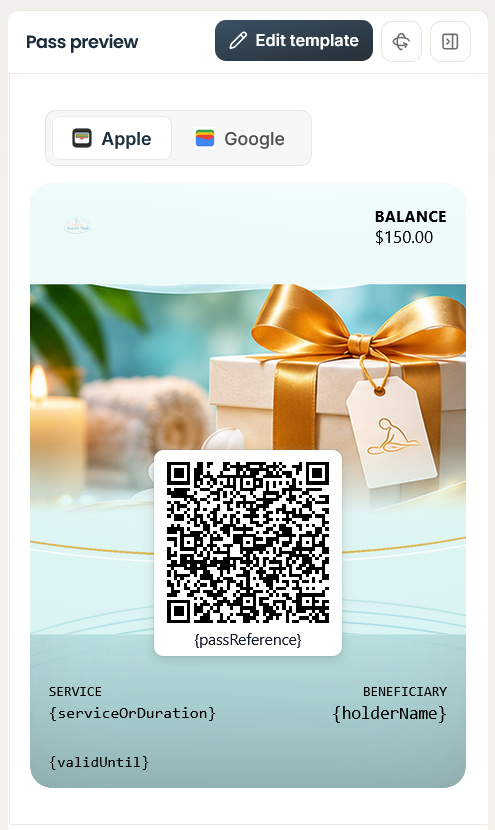
Internal Structure of a .pkpass Archive
An Apple Wallet .pkpass bundle is a standard ZIP archive containing five core structural layers:
| File / Directory | Format & Encoding | Role in Apple Wallet |
|---|---|---|
pass.json | UTF-8 JSON | Defines pass style (storeCard, coupon, eventTicket, boardingPass, generic), passTypeIdentifier, teamIdentifier, serialNumber, authenticationToken, webServiceURL, fields, barcodes, locations, and nfc dictionary. |
Visual Assets (.png) | PNG (@1x, @2x, @3x) | Up to 13 template image slots hydrated into Apple PassKit filenames (icon.png, logo.png, strip.png, thumbnail.png, background.png, footer.png, artwork.png, venueMap.png) across retina resolutions. |
<lang>.lproj/pass.strings | UTF-8 Strings Table | Localized key-value translations (e.g., de.lproj/pass.strings, fr.lproj/pass.strings) matched against the iPhone's system locale. |
manifest.json | UTF-8 JSON | Flat dictionary mapping every relative file path in the bundle (excluding manifest.json and signature) to its 40-character hexadecimal SHA-1 hash. |
signature | Binary DER (PKCS#7) | Detached PKCS#7 cryptographic signature of manifest.json, signed by your Apple Pass Type ID private key and chaining to the Apple WWDR G4/G6 intermediate certificate. |
Important: Apple Wallet strictly requires color values in
pass.json(backgroundColor,foregroundColor,labelColor) to be serialized asrgb(r, g, b)strings. Passinstance'sapple-pass-field.serializer.tsautomatically converts hex values torgb(r, g, b)and strips alpha channels so iOS never rejects a bundle during signature and schema verification.
Example pass.json Payload Structure
{
  "formatVersion": 1,
  "passTypeIdentifier": "pass.com.yourbrand.loyalty",
  "serialNumber": "PI-8849-2026-X9",
  "teamIdentifier": "9A8B7C6D5E",
  "organizationName": "Phenix Roasters",
  "description": "Phenix VIP Rewards Card",
  "webServiceURL": "https://api.passinstance.com",
  "authenticationToken": "b7f9e2c1a4d80931f6e5c2b8a1049d7e",
  "foregroundColor": "rgb(255, 255, 255)",
  "backgroundColor": "rgb(18, 24, 38)",
  "labelColor": "rgb(148, 163, 184)",
  "storeCard": {
    "headerFields": [
      {
        "key": "tier",
        "label": "TIER",
        "value": "Gold"
      }
    ],
    "primaryFields": [
      {
        "key": "points",
        "label": "POINTS BALANCE",
        "value": 1450,
        "changeMessage": "Your points balance updated to %@"
      }
    ],
    "backFields": [
      {
        "key": "support_link",
        "label": "MEMBER PORTAL",
        "value": "Visit https://yourbrand.com/member",
        "attributedValue": "<a href=\"https://yourbrand.com/member\">Open Member Portal</a>"
      }
    ]
  },
  "barcodes": [
    {
      "format": "PKBarcodeFormatQR",
      "message": "PI-8849-2026-X9",
      "messageEncoding": "iso-8859-1",
      "altText": "PI-8849-2026-X9"
    }
  ]
}
Apple Wallet Web Service Endpoints (/v1)
Every live pass contains webServiceURL and a minimum 16-character authenticationToken. iOS and watchOS devices communicate directly with Passinstance's /v1 endpoints using the HTTP header Authorization: ApplePass <authenticationToken>:
| Method | Endpoint Path | HTTP Statuses | Purpose |
|---|---|---|---|
| POST | /v1/devices/:deviceLibraryIdentifier/registrations/:passTypeIdentifier/:serialNumber | 201 Created, 200 OK, 401 Unauthorized | Registers the iPhone or Apple Watch pushToken for APNs updates and marks the pass installed. |
| GET | /v1/devices/:deviceLibraryIdentifier/registrations/:passTypeIdentifier | 200 OK, 204 No Content | Returns { serialNumbers: [...], lastUpdated: "<tag>" } for passes modified since ?passesUpdatedSince=. |
| GET | /v1/passes/:passTypeIdentifier/:serialNumber | 200 OK, 304 Not Modified, 401 Unauthorized | Generates and streams the latest signed .pkpass bundle when woken by an APNs push or manual pull-to-refresh. |
| DELETE | /v1/devices/:deviceLibraryIdentifier/registrations/:passTypeIdentifier/:serialNumber | 200 OK, 401 Unauthorized | Unregisters the device when the passholder deletes the pass from Apple Wallet. |
| POST | /v1/log | 200 OK | Receives diagnostic { "logs": [...] } arrays from iOS devices if a .pkpass fails client-side validation. |
Explore further technical specifications at Apple Wallet Platform, Apple Wallet Certificates, and Apple VAS Contactless Protocol.