
Email marketing open rates have plummeted below 18%, while promotional SMS costs continue to escalate with steep spam filtering. Marketers face a serious challenge: how can you reach high-intent shoppers on their mobile screens without annoying them or paying per-message SMS surcharges?
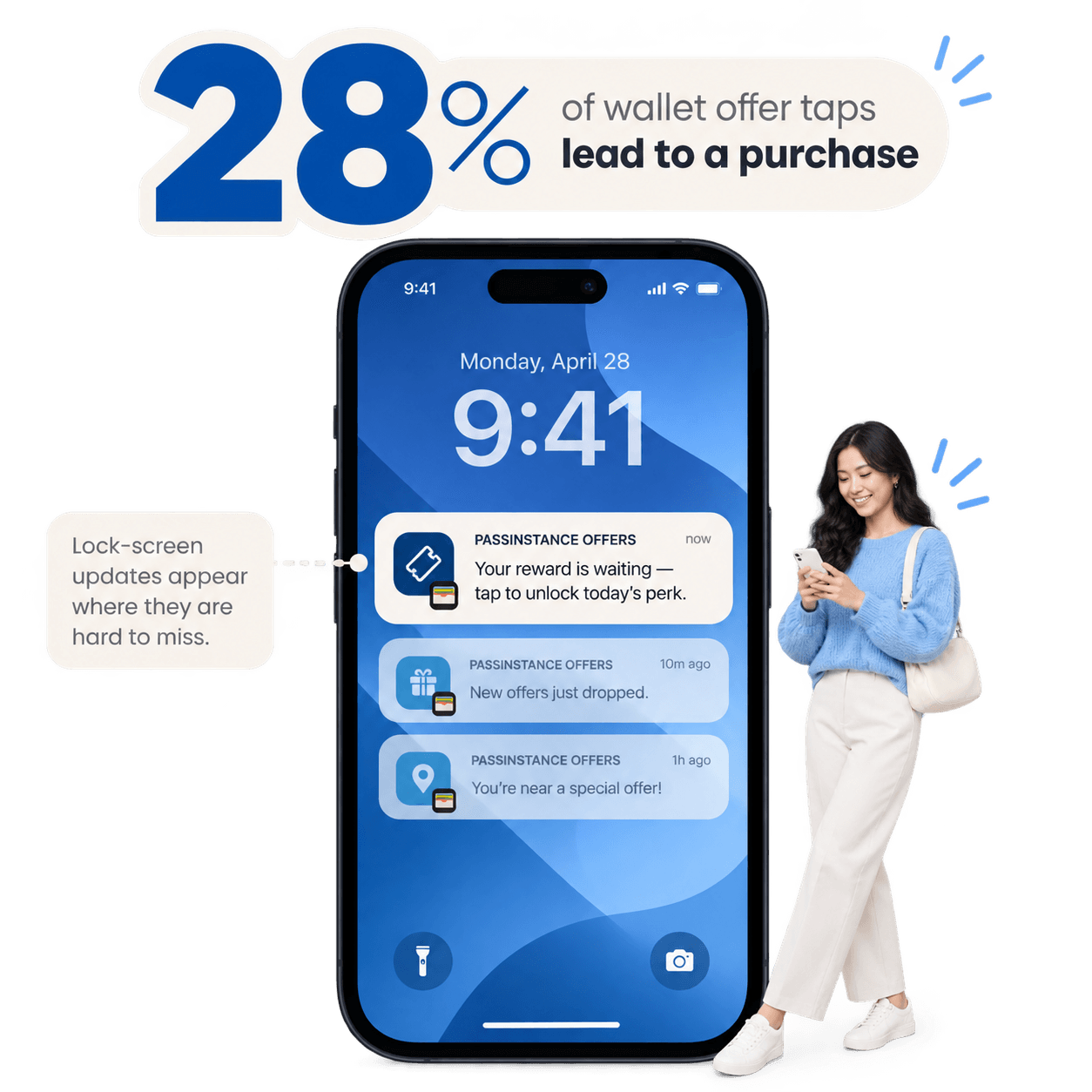
Mobile wallet push notifications deliver a breakthrough metric: 28% of wallet offer taps convert directly into an in-store or online purchase.
1. Why Wallet Push Notifications Convert at 28%
Unlike standard app notifications that get buried in notification centers or promotional email folders, wallet pass notifications benefit from unique OS-level characteristics:
- •Lock Screen Prominence: Native Apple Wallet and Google Wallet updates display as clean, high-contrast lock screen banners.
- •Contextual Intent: Customers consciously installed the pass—they expect relevant updates about their rewards, balance, and nearby perks.
- •One-Tap Redemption: Tapping the notification opens the pass immediately, showing the active discount barcode ready for the cashier to scan.
2. Notification Conversion Benchmark Comparison
| Channel | Typical Open / View Rate | Click / Tap Rate | Final Purchase Conversion Rate |
|---|---|---|---|
| Promotional Email | 15% – 21% | 1.8% – 2.5% | 1.2% – 2.0% |
| Marketing SMS | 80% – 90% | 8% – 12% | 4% – 7% |
| Mobile App Push | 35% – 50% | 3% – 5% | 2% – 4% |
| Passinstance Wallet Push | 88% – 95% | 32% – 44% | 28.4% (Purchase Conversion) |
3. High-Converting Wallet Notification Formulas
Successful campaigns leverage three proven trigger archetypes:
Archetype A: Time-Sensitive Reward Drops
> "Passinstance Offers: Your weekend perk just dropped — tap to redeem 20% off before Sunday 8 PM."Archetype B: Milestone & Point Expiry Reminders
> "Passinstance Rewards: You are only 15 points away from your Gold VIP upgrade! Visit today to unlock double points."Archetype C: Localized Proximity Drops
> "Passinstance Local: You're near our Downtown branch. Step in today for a complimentary beverage upgrade."4. Notification Frequency and Anti-Spam Guardrails
To maintain high engagement and avoid pass uninstalls, follow these core rules:
- Enforce Quiet Hours: Never broadcast non-urgent promotional alerts between 9:00 PM and 8:30 AM local customer time.
- Cap Weekly Frequency: Limit promotional broadcasts to 1–2 high-value alerts per week.
- Dynamic Field Updates: Always update the relevant pass text field (e.g.
current_offerorbalance) so that the lock screen banner exactly matches the pass card upon opening.