
Location-based marketing has historically suffered from a major flaw: noise. Native mobile apps frequently request background GPS permissions, drain battery life, and blast untargeted push notifications at inappropriate hours. As a result, over 82% of consumers routinely disable location permissions or uninstall retail apps altogether.
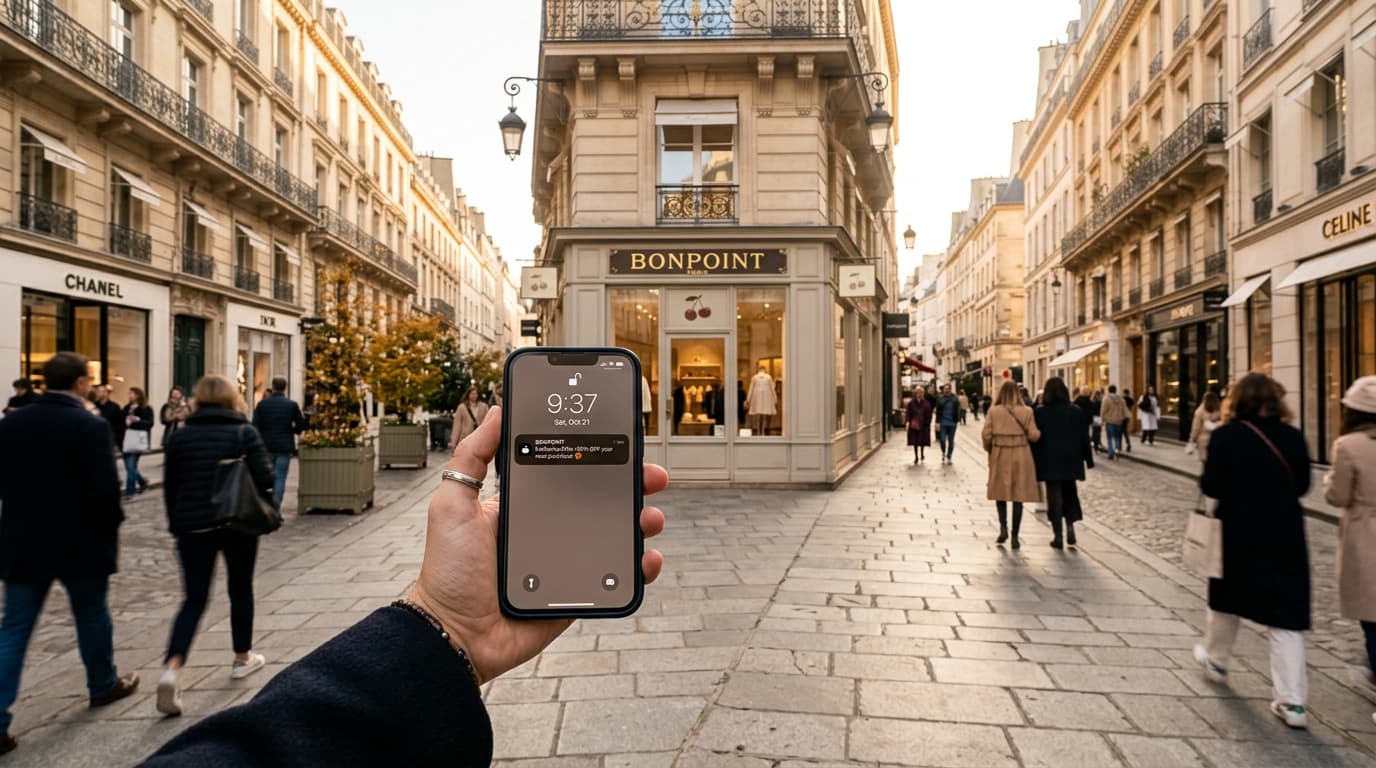
Mobile wallet passes in Apple Wallet and Google Wallet solve this problem at the operating system level. By leveraging native device geofencing, wallet passes surface on the lockscreen only when a customer is within a tailored physical radius of your location—with zero battery penalty, zero privacy intrusion, and zero spam.
This playbook explains the underlying geofencing architecture, notification etiquette rules, multi-location coordination strategies, and a real-world case study on driving retail foot traffic with zero app development.
1. How Wallet Geofencing Works (Under the Hood)
Unlike custom apps that run continuous background GPS location polling, mobile wallet passes use low-power OS-level region monitoring:
┌────────────────────────────────────────┐
                                          │   Customer Device (iOS / Android)      │
                                          │                                        │
                                          │   OS Hardware Geofencing (Low-Power)   │
                                          └──────────────────┬─────────────────────┘
                                                             │
                                                             │ 1. Enters 150m Radius
                                                             ▼
┌────────────────────────────────────────┐        ┌────────────────────────────────────┐
│      Physical Store Location           │        │     Lockscreen Native Trigger      │
│  Latitude: 52.520008, Longitude: 13.404954 ────>│ "Passinstance Rewards: 2m ago"     │
│  Radius: 150 meters                    │        │ "Your 20% offer is ready to use"   │
└────────────────────────────────────────┘        └─────────────────┬──────────────────┘
                                                                    │
                                                                    │ 2. One-Tap Unlock
                                                                    ▼
                                                  ┌────────────────────────────────────┐
                                                  │       Mobile Wallet Pass           │
                                                  │   Mooncrest Coffee Stamp Card      │
                                                  │   [●][●][●][●][○][○][○][○] 4/8     │
                                                  │   Barcode ready for instant scan   │
└────────────────────────────────────┘- •Embedded Coordinates: When a customer adds an Apple Wallet
.pkpassor Google Wallet pass, the pass package contains an array of latitude, longitude, and altitude coordinates. - •OS-Level Boundary Detection: The smartphone's cellular baseband and Wi-Fi beacons track when the device crosses the store perimeter—without waking up the CPU or tracking individual GPS tracks.
- •Lockscreen Surfacing: When the device enters the geofence (typically within 100m to 250m), the pass appears directly on the lockscreen with a customized banner message.
- •Instant 1-Tap Access: Swiping or tapping the notification opens the pass immediately, showing the barcode and live balance ready for redemption at the counter.
2. Technical Geofencing Invariants: Apple Wallet vs. Google Wallet
While both operating systems support geofenced passes, their specifications and capabilities have subtle differences:
| Feature | Apple Wallet (PKPass) | Google Wallet (Pay API) |
|---|---|---|
| Max Coordinates per Pass | Up to 10 distinct locations | Up to 10 distinct locations |
| Radius Configuration | OS dynamically calibrates radius (~100m–150m) | Configurable radius (100m–500m) |
| Indoor Beacons | Bluetooth Low Energy (iBeacon) supported | BLE / Wi-Fi fingerprinting |
| Relevant Text | relevantText string displayed on lockscreen | Notification title and message |
| Battery Impact | Negligible (managed by CoreLocation daemon) | Negligible (managed by Google Play Services) |
| Permission Requirement | Included in standard Wallet permissions | Included in standard Wallet permissions |
3. The 3 Golden Rules of Zero-Noise Notifications
To prevent customers from muting or deleting their wallet pass, follow these three non-negotiable rules:
Rule 1: Always Pair Location with a Concrete Benefit
Never trigger a generic "We see you're nearby!" message. Instead, tie the notification to actionable customer value:- Poor: "Welcome back to Mooncrest Coffee!"
- Effective: "Passinstance Rewards: Your 20% discount is ready to use nearby."
- Effective: "You're 2 stamps away from a free roast! Drop in and claim double stamps today."
Rule 2: Enforce Time-of-Day and Recency Throttles
Don't trigger breakfast coffee offers at 9:00 PM just because a customer walked past your closed shop. With Passinstance:- Set active hours (e.g., 07:00 – 18:00 for cafes, 10:00 – 21:00 for retail boutiques).
- Configure cool-down intervals so a commuter walking past your storefront twice daily isn't bombarded repeatedly.
Rule 3: Maintain 1:1 Parity Between Notification and Pass Content
When the customer swipes the lockscreen notification, the front of the pass must immediately validate what the notification promised:- If the lockscreen promised 20% off, the header or auxiliary field on the pass should display:
PROMO: 20% OFF TODAY.
4. Real-World Case Study: Specialty Coffee Roaster (The Mooncrest Model)
A regional artisan coffee roaster with 8 high-street locations wanted to boost mid-week afternoon foot traffic among existing loyalty members.
┌────────────────────────────────────────────────────────────────────────┐
│  MOONCREST COFFEE — DIGITAL REWARDS CARD                              │
│                                                                        │
│  MEMBER: Lucas                     MEMBERSHIP ID: mc8497e3           │
│  STATUS: 4 / 8 Stamps (Halfway Reward Unlocked)                       │
│                                                                        │
│  [☕] [☕] [☕] [☕] [⚪] [⚪] [⚪] [⚪]                                 │
│                                                                        │
│  LOCKSCREEN MESSAGE NEARBY:                                            │
│  "Passinstance Rewards (2m ago): Your 20% offer is ready to use nearby"│
│                                                                        │
│  RESULT: +34% same-day footfall lift | 0.2% unsubscribe rate          │
└────────────────────────────────────────────────────────────────────────┘
The Strategy
- •Targeting Segment: Members with 3 to 5 stamps on their digital card (mid-progress motivation).
- •Geofence Radius: 150-meter perimeter around each of their 8 roasting cafes.
- •Active Window: Tuesday through Thursday between 14:00 and 16:30.
- •The Offer: "Your 20% pastry offer is ready to use nearby."
Results Observed Over 90 Days
- 34% lift in afternoon foot traffic among target members.
- 2.8x increase in stamp accumulation velocity.
- < 0.2% pass removal rate over 3 months, proving that high-relevance location messages are welcomed by consumers.
5. Implementation Checklist: Setting Up Geofences in Passinstance
Setting up geofenced wallet passes requires four simple steps in your Passinstance dashboard or via the REST API:
{
  "passTemplateId": "tmpl_coffee_loyalty_v2",
  "locations": [
    {
      "latitude": 52.520008,
      "longitude": 13.404954,
      "relevantText": "Your 20% offer is ready to use nearby at Mooncrest Mitte!",
      "altitude": 0
    },
    {
      "latitude": 52.501530,
      "longitude": 13.332560,
      "relevantText": "Drop in for a fresh roast at Mooncrest Ku'damm (Double Stamps active)!"
    }
  ]
}- •Obtain Coordinates: Extract precise decimal latitude and longitude coordinates for each retail store or branch.
- •Craft Contextual Copy: Write concise, action-oriented
relevantTextcopy (under 70 characters for optimal display across all iPhone and Android screen sizes). - •Test on Real Devices: Install a test pass on both iOS and Android smartphones and physically verify boundary entry triggers.
- •Monitor Analytics: Review conversion rates, counter scan spikes, and pass install counts in your Passinstance analytics portal.
Conclusion & Next Steps
Geofenced wallet notifications represent the cleanest, most respectful, and most effective direct-to-consumer channel in physical commerce. By eliminating app fatigue and respecting customer context, your brand can drive reliable foot traffic with surgical precision.
Ready to roll out geofenced passes for your multi-location business? Check out our Geofencing Feature Guide or create a free Passinstance account to issue your first pass.