Skip to content
Engagement

Wallet notifications without building a mobile app

Reach customers directly on their lock screen with native push updates, geofenced location reminders, and scheduled notifications in Apple Wallet and Google Wallet.

  • Native lock-screen push updates
  • Geofence & proximity triggers
  • Scheduled & automated alerts
  • Apple APNs & Google Wallet push
Works on:
 Apple Wallet (.pkpass)Google Wallet (JWT & REST)
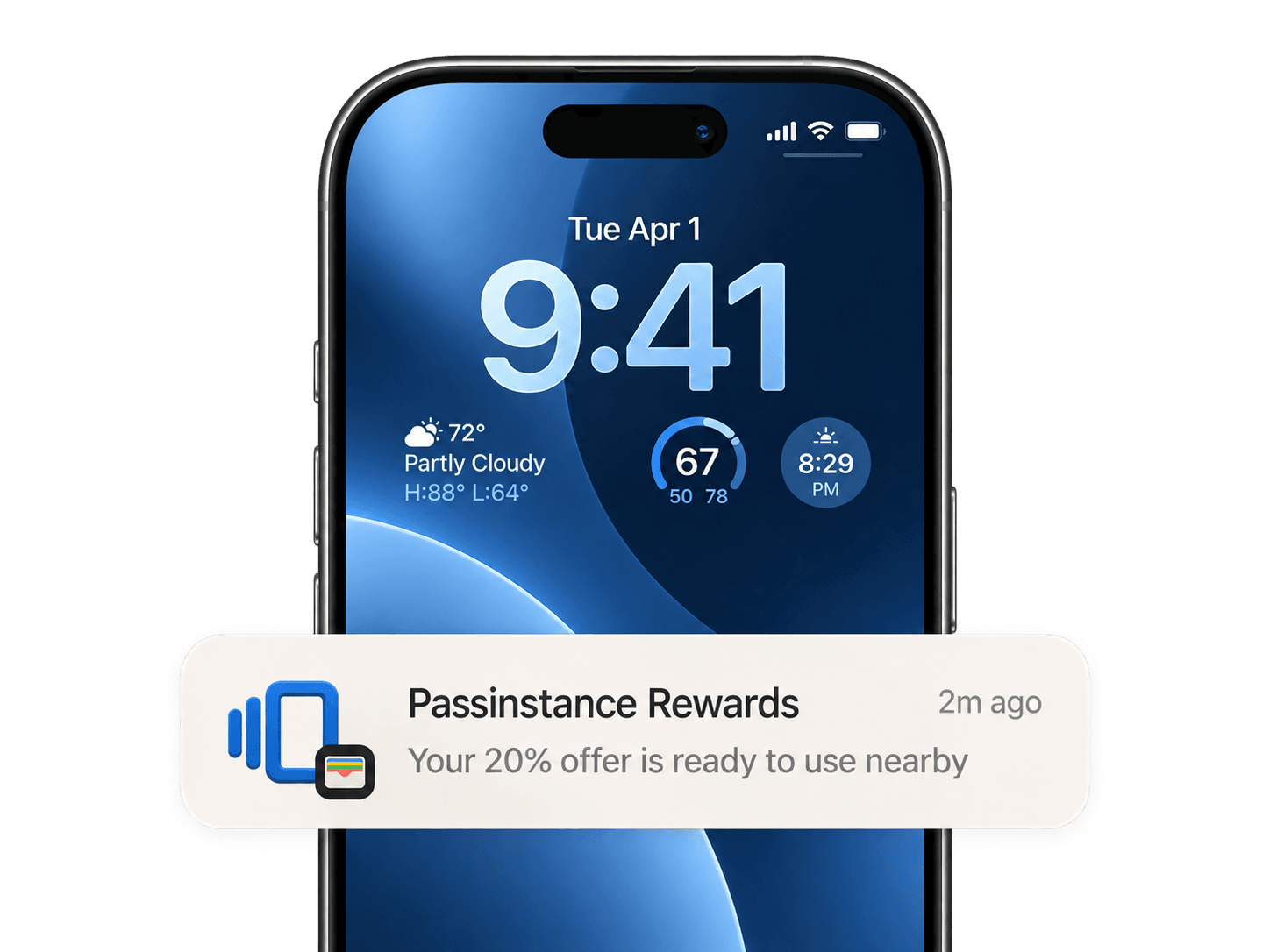
Passinstance lockscreen push notification and geofencing alert
Overview

Passinstance wallet pass notifications enable businesses and SaaS platforms to communicate directly on customer lock screens without requiring a custom iOS or Android application. Pass updates trigger lock-screen messages whenever balances change, events approach, or customers enter geofenced locations.

Understand platform mechanics: Apple Wallet utilizes the Apple Push Notification service (APNs) tied to .pkpass registrations to trigger native lock-screen updates. Google Wallet leverages Google Wallet REST API updates to surface lock-screen notifications and pass state changes on Android devices. Both platforms operate natively without installing third-party mobile apps.

Capabilities

Everything to run wallet passes in production

Native lock-screen push updates

Send immediate lock-screen notifications for balance changes, status updates, tier upgrades, or time-sensitive announcements.

Geofencing and location relevance

Attach up to 10 location coordinates per pass to surface notification cards when users enter physical store boundaries or venue perimeters.

Scheduled & automated messaging

Automate event countdowns, expiration warnings, and scheduled promotional messages using the REST API or dashboard.

Cross-platform APNs & Google Sync

Deliver push updates to both Apple Wallet and Google Wallet simultaneously from a single API call.

Update notifications

Push live field changes and lock-screen notifications when a balance, status, gate, or offer changes — passes stay current on every device.

Geolocation and relevant locations

Attach relevant locations so a pass surfaces on the lock screen when a customer is near your store, venue, or pickup point.

Dates, expiry, and lifecycle

Set relevant dates and expiration, extend validity on scan, and manage the full pass lifecycle from issue to revoke.

Analytics and tracking

Track installs, removals, scans, and redemptions per pass and cohort, with CSV and API exports for your own reporting.

Dates, expiry, and lifecycle

Set relevant dates and expiration, extend validity on scan, and manage the full pass lifecycle from issue to revoke.

Analytics and tracking

Track installs, removals, scans, and redemptions per pass and cohort, with CSV and API exports for your own reporting.

FAQ

Frequently asked questions

How do wallet pass notifications work without an app?

Apple Wallet is built into iOS and Google Wallet is available on supported Android devices. When a pass is added to the wallet, the device registers with Apple (APNs) or Google servers. Updating the pass pushes a notification directly to the user's lock screen.

What is the difference between Apple Wallet and Google Wallet notifications?

Apple Wallet passes use APNs push tokens and display change message strings configured on pass fields. Google Wallet updates are sent via the Google Wallet REST API and update the pass card and notification shade on Android.

Can I trigger notifications based on customer location?

Yes. Relevant locations can be attached to passes with latitude, longitude, and custom notification text that surfaces when the customer is near your store or venue.

Start sending lock-screen wallet notifications

Start free and engage your customers in Apple Wallet and Google Wallet without building a native mobile application.