

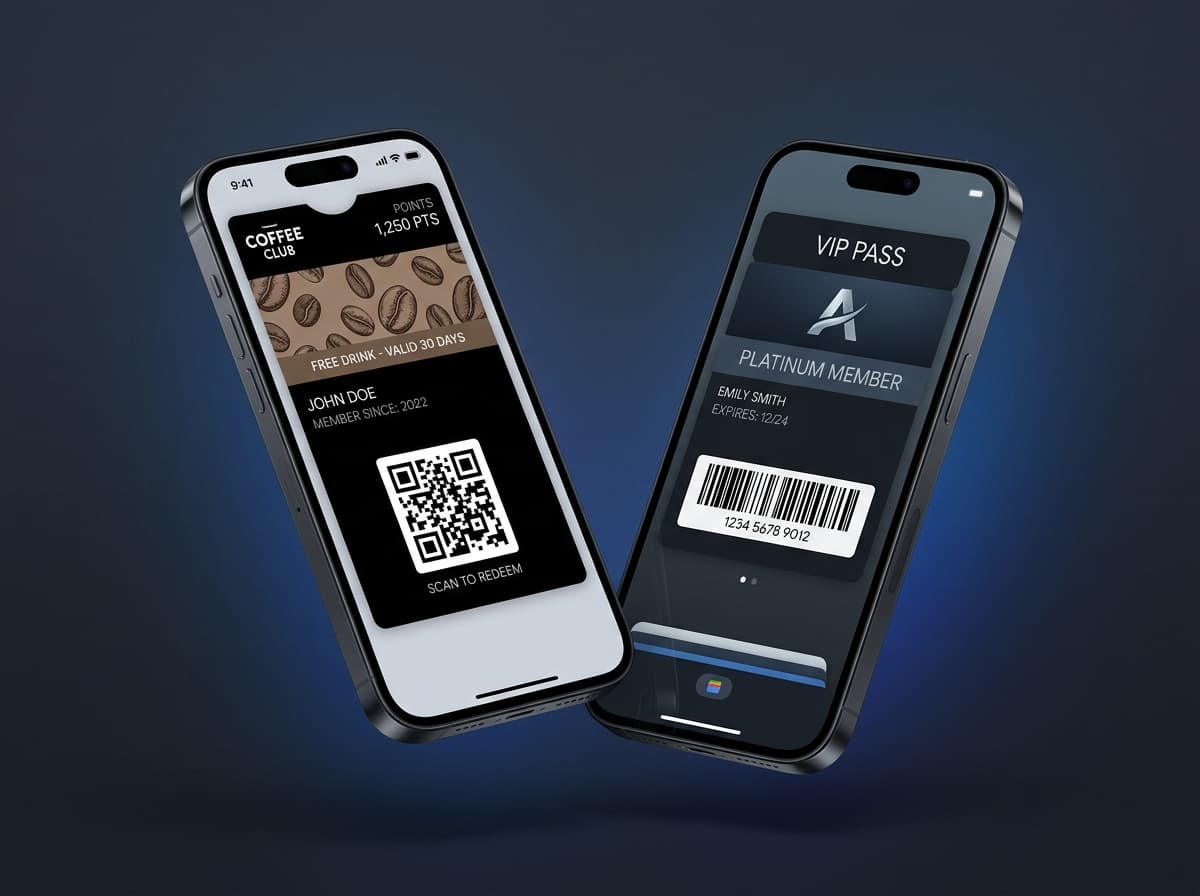
Digital wallet passes represent a fundamental shift in mobile customer engagement. Instead of forcing customers to download a 100MB standalone app that requires login credentials, updates, and maintenance, wallet passes live directly inside Apple Wallet on iOS and Google Wallet on Android.
With over 2.8 billion active smartphone users relying on their native digital wallets for payments, passes leverage existing, trusted device infrastructure to deliver high-converting loyalty, ticketing, membership, and coupon experiences.
1. What Exactly is a Mobile Wallet Pass?
A mobile wallet pass is a cryptographically signed, structured data bundle containing visual layouts, barcode payloads, localized text fields, and push notification tokens.
text
passinstance
┌────────────────────────────────────────────────────────────────────────┐
│                        ANATOMY OF A WALLET PASS                        │
├────────────────────────────────────────────────────────────────────────┤
│  [Logo Image]          BRAND NAME                   [Header: Tier VIP] │
│                                                                        │
│  [Strip / Hero Image]  High-Res Artwork / Reward Stamp Card Visual     │
│                                                                        │
│  Primary Field:        POINTS BALANCE: 550                             │
│  Secondary Fields:     Member: Alex Morgan   |  Status: Signature Tier │
│                                                                        │
│  [Barcode / QR Code]   PDF417 / QR / Aztec / NFC Tap-to-Redeem         │
│                        Decodes customer UUID / Membership ID           │
│                                                                        │
│  Back of Pass:         Terms, store links, phone, receipt history      │
└────────────────────────────────────────────────────────────────────────┘
2. Apple Wallet (.pkpass) vs. Google Wallet (Pay API) Architecture
| Specification | Apple Wallet (iOS) | Google Wallet (Android) |
|---|---|---|
| Package Format | Compressed .pkpass ZIP bundle | Cloud-hosted JSON Objects |
| Signing Protocol | Apple Developer Pass Type Certificate | Google Cloud Service Account Key |
| Push Notification | Apple Push Notification service (APNs) | Google Wallet REST API Push |
| NFC Support | Apple Pay VAS (Value Added Services) | Google Smart Tap Protocol |
| Offline Functionality | Fully cached on device | Cached in Google Play Services |
3. The 5 Core Types of Wallet Passes
- •Store Cards (Loyalty & Rewards): Dynamic point balances, tier promotions, and custom reward multipliers.
- •Coupons & Promotional Vouchers: Time-limited discounts with expiration dates and lockscreen reminders.
- •Event Tickets & Boarding Passes: Live seat changes, gate updates, and event entry barcodes.
- •Generic & Membership Passes: Gym access, coworking badges, club credentials, and digital IDs.
- •Transit & Access Passes: NFC tap-to-enter credentials for turnstiles and hotel doors.
4. Why Wallet Passes Outperform Native Apps
- Zero Install Barrier: Added in 1 tap from a QR code, SMS, email, or website.
- High Retention Rate: Over 94% of installed passes remain in the wallet after 12 months.
- Zero App Store Approval: Publish and update pass designs instantly via API without waiting for App Store reviews.
- Direct Lockscreen Channel: Send targeted, free push notifications and location-based reminders directly to the lockscreen.