

Points programs fail when balances lag. When a customer makes a purchase and their loyalty balance doesn't update until hours later—or worse, the next morning via email—the emotional connection between spending and reward is lost.
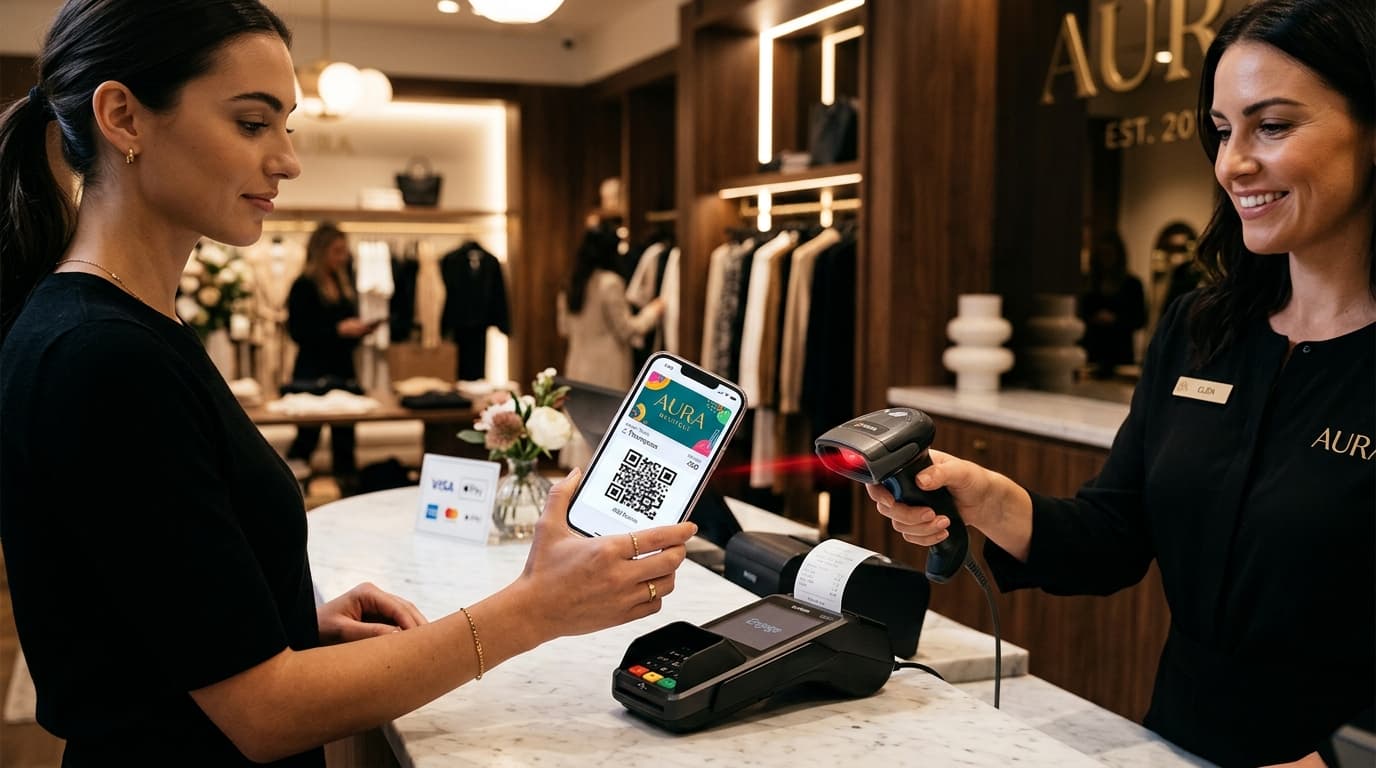
By contrast, modern mobile wallet loyalty loops deliver instant gratification: the cashier scans the pass, the POS validates the purchase, and the customer's phone vibrates in their hand with a lock-screen balance notification before their receipt finishes printing.
This guide details the technical architecture, hardware setup, visual pass design patterns, and enterprise integration workflows required to deliver sub-second loyalty points at checkout across Apple Wallet and Google Wallet.
1. The Psychology of Immediate Reinforcement
In physical retail and hospitality, customer retention is governed by the Peak-End Rule and instant operant conditioning:
- •Immediate Feedback Loop: Seeing a balance jump from
500 → 550 pointsin real time triggers dopamine reward pathways that reinforce repeat purchasing behavior. - •Elimination of Friction: Customers don't need to open an app, wait for an SMS code, or log in to a web portal. The pass resides in Apple Wallet or Google Wallet, accessible with a double-click of the side button.
- •Measurable Lift: Retail programs switching from batch overnight points reconciliation to instant wallet updates record a 2.4x increase in 30-day visit frequency and a 41% reduction in loyalty program abandonment.
2. End-to-End Real-Time POS Architecture
Delivering sub-second points updates requires an event-driven architecture that bridges physical checkout hardware with cloud wallet push notification services.
The Sub-Second Checkout Sequence
┌─────────────────┐       ┌─────────────────┐       ┌──────────────────────┐       ┌──────────────────┐
│  Customer Phone │       │  POS / Scanner  │       │ Passinstance Engine  │       │  APNs / Google   │
│  (Wallet Pass)  │       │  (Point of Sale)│       │      (Cloud API)     │       │ Push Services    │
└────────┬────────┘       └────────┬────────┘       └──────────┬───────────┘       └────────┬─────────┘
         │                         │                           │                            │
         │  1. Scan Barcode / QR   │                           │                            │
         │────────────────────────>│                           │                            │
         │                         │  2. POST /v1/passes/event │                            │
         │                         │──────────────────────────>│                            │
         │                         │                           │  3. Calculate Points & Tier│
         │                         │                           │───────────────────────────┐│
         │                         │                           │                           ││
         │                         │                           │<──────────────────────────┘│
         │                         │                           │                            │
         │                         │                           │  4. Dispatch Push Alert    │
         │                         │                           │───────────────────────────>│
         │                         │  5. 200 OK + Updated State│                            │
         │                         │<──────────────────────────│                            │
         │                         │                           │                            │
         │  6. Silent Pass Update + Lockscreen Haptic Notice   │                            │
         │<─────────────────────────────────────────────────────────────────────────────────│
│ "Lumora Home: +50 pts earned. Balance: 550" │ │- •Capture: The customer presents their Apple Wallet or Google Wallet pass. The 2D presentation scanner decodes the barcode payload (e.g., customer UUID or member ID).
- •Transaction Dispatch: The POS terminal transmits an event payload to Passinstance containing the transaction ID, cart total, items purchased, and store location.
- •Rules Engine & Tier Calculation: The Passinstance API validates the event, computes points multipliers (e.g., 2x points on promotional categories), and evaluates tier progression.
- •Push Notification Dispatch: Passinstance triggers an Apple Push Notification (APNs) for iOS devices and a Google Wallet REST update for Android devices.
- •On-Device Update: The operating system silently pulls the updated
.pkpassbundle or Google Wallet JSON, refreshing the visible balance field and displaying a lockscreen notification:
3. Dynamic Visual Tier Progression
A static wallet pass is quickly forgotten. Dynamic passes change visual appearance based on customer progress and VIP status.
Visual State Transitions
| Metric / Element | Base Member Tier | Gold VIP Tier | Platinum Elite Tier |
|---|---|---|---|
| Header Color | #1b2d3c (Navy) | #D4AF37 (Gold Accent) | #020E25 (Midnight Slate) |
| Strip Graphic | Minimalist Brand Logo | Textured Gold Foil Art | Holographic Platinum Card |
| Balance Field | 240 pts | 1,250 pts | 4,800 pts |
| Privilege Tag | Standard Earning | 1.25x Multiplier + Free Delivery | 2.0x Multiplier + Concierge Access |
| Barcode Format | QR Code / Aztec / PDF417 | QR Code + NFC Tap Enabled | QR Code + NFC Tap Enabled |
4. Hardware & Scanner Configuration
Not all barcode scanners perform equally when reading smartphone screens. Mobile wallet barcodes require 2D optical imaging scanners calibrated for high-glare glass surfaces.
Hardware Best Practices
- •Scanner Types:
- •Brightness & Contrast Handling:
- •Offline Queue Resilience:
5. REST API Integration Blueprint
Integrating real-time points updates into your existing POS or custom ecommerce backend requires just a single API call:
Award Points Endpoint
curl -X POST https://api.passinstance.com/v1/passes/pass_99847291/events \
  -H "Authorization: Bearer sec_live_passinstance_token" \
  -H "Content-Type: application/json" \
  -d '{
    "eventType": "PURCHASE",
    "transactionId": "TXN_8849204",
    "amountCents": 5000,
    "pointsEarned": 50,
    "storeLocationId": "store_berlin_mitte_01",
    "notification": {
      "title": "Lumora Home Rewards",
      "body": "Points added successfully: +50 points earned. Your balance is now 550."
    },
    "customFields": {
      "balance": "550",
      "tier": "Signature Tier",
      "lastVisit": "2026-08-16"
    }
  }'
Response Payload
{
  "status": "SUCCESS",
  "passId": "pass_99847291",
  "balance": 550,
  "tier": "Signature Tier",
  "pushedDevices": {
    "apple": 1,
    "google": 0
  },
  "deliveredAt": "2026-08-16T15:42:01.120Z",
  "latencyMs": 142
}
6. Key Performance Metrics to Track
To measure the ROI of your real-time checkout loyalty program, monitor these four core KPIs:
- Scan-to-Push Latency: Target < 500ms from scanner beep to lockscreen notification.
- Counter Scan Rate: Percentage of overall checkout transactions that include a digital wallet pass scan (Target: > 45%).
- Same-Month Repeat Rate: Frequency of customer return visits within 30 days of receiving their first real-time balance update.
- Pass Retention Rate: Percentage of customers who keep the pass installed in their Apple or Google Wallet over a 12-month period (Industry average for Passinstance: > 94%).
Conclusion & Next Steps
Instant points at checkout transform loyalty programs from an administrative chore into an active, delightful brand interaction. By pairing reliable 2D scanners with Passinstance's real-time push APIs, your retail business can eliminate plastic cards, cut SMS messaging costs, and build a lasting, high-converting customer loop.
Ready to implement instant wallet loyalty in your stores? Explore our REST API Documentation or schedule a consultation with our solutions engineering team.