
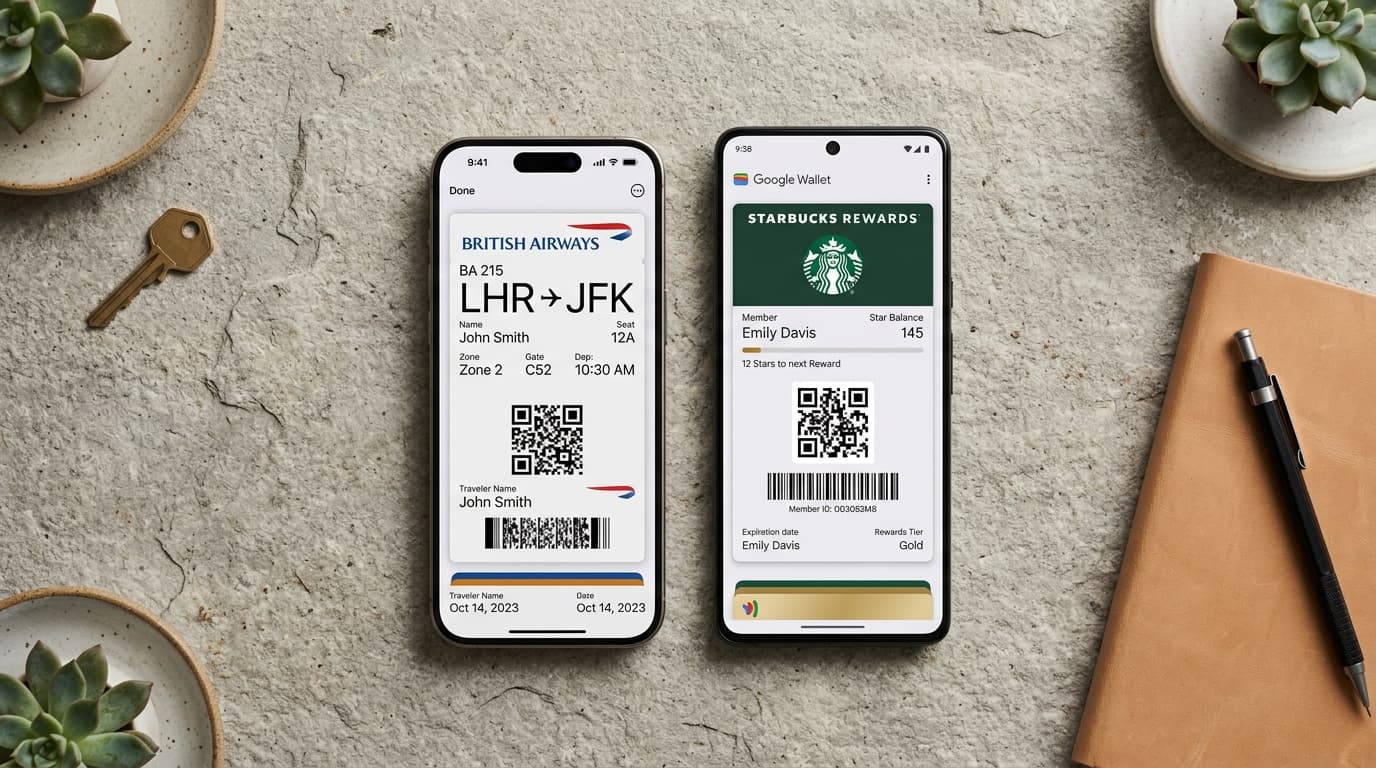
Delivering a seamless customer experience across both iOS and Android requires mastering the architectural differences between Apple Wallet and Google Wallet. While both platforms allow consumers to store loyalty cards, event tickets, boarding passes, and gift vouchers, their design constraints, signing mechanisms, and notification behaviors differ significantly.
With over 1.4 billion active iPhone users and 3.0 billion active Android devices worldwide, enterprise loyalty and ticketing programs cannot afford to treat these platforms as identical.
This technical comparison provides the exact framework needed to design, issue, and manage cross-platform passes that feel native on both operating systems.
1. Comprehensive Feature Comparison Matrix
| Architectural Dimension | Apple Wallet (iOS / watchOS) | Google Wallet (Android / Wear OS) |
|---|---|---|
| Package Architecture | Compressed .pkpass ZIP archive | Cloud-hosted JSON Class/Object Model |
| Cryptographic Signing | SHA256 PKCS#7 detached signature via Apple WWDR | RS256 JWT signed via Google Service Account |
| Push Notification Protocol | Apple Push Notification service (APNs) | Google Wallet REST API Push |
| Push Latency | < 350 ms to lockscreen | < 450 ms to notification tray |
| Lockscreen Geofencing | Native locations array (max 10 points) | Google Pay API Geofence Cache (max 10) |
| Indoor Beacon Support | Native iBeacon (UUID, Major, Minor) | BLE Beacon & Wi-Fi Fingerprinting |
| Contactless NFC Protocol | Apple Pay VAS (Value Added Services) | Google Smart Tap 2.0 |
| Barcode Formats | QR Code, Aztec, PDF417, Code 128 | QR Code, Aztec, PDF417, Code 128, EAN-13 |
| Automatic Brightness | Auto-maximized to 100% on pass open | System adaptive display brightness |
| Offline Availability | 100% cached on local device storage | Cached within Google Play Services |
2. Visual Layout & Design Constraints
Apple Wallet and Google Wallet take fundamentally different approaches to screen space and typography.
Visual Architecture Comparison
┌────────────────────────────────────────┐       ┌────────────────────────────────────────┐
│         APPLE WALLET (.PKPASS)         │       │        GOOGLE WALLET (OBJECT)          │
├────────────────────────────────────────┤       ├────────────────────────────────────────┤
│ [Logo] BRAND NAME       [Header: GOLD] │       │ [Logo] BRAND NAME           [More ...] │
│                                        │       │                                        │
│ ┌────────────────────────────────────┐ │       │ ┌────────────────────────────────────┐ │
│ │  STRIP / HERO IMAGE (375x123 pt)   │ │       │ │  HERO MODULE IMAGE (1032x336 px)   │ │
│ └────────────────────────────────────┘ │       │ └────────────────────────────────────┘ │
│                                        │       │                                        │
│ PRIMARY FIELD:    BALANCE: 550 PTS     │       │ Header Text: "Gold VIP Member"         │
│                                        │       │ Subheader:   "Points Balance: 550"     │
│ SECONDARY FIELDS:                      │       │                                        │
│ Member: Alex Morgan | Tier: Signature  │       │ TEXT MODULES:                          │
│                                        │       │ Tier Status       Points to Next Tier  │
│ [BARCODE / QR CODE MODULE]             │       │ Signature         150 pts              │
│ Decodes: Member UUID                   │       │                                        │
│                                        │       │ [BARCODE MODULE: QR / PDF417]          │
│ [i] Back of Pass: Terms & Store Links  │       │ Expandable Details & Links             │
└────────────────────────────────────────┘ └────────────────────────────────────────┘- Apple Wallet: Follows a strict grid structure divided into Header, Primary, Secondary, and Auxiliary fields. The back of the pass hosts terms, contact info, and transaction logs.
- Google Wallet: Uses a vertical card layout constructed from modular building blocks (Hero Image Module, Text Modules, Barcode Module, and Message Modules).
3. Cryptographic Signing & Security Architecture
Apple Wallet (.pkpass)
- •Every pass is a zipped archive containing pass.json, visual assets (icon.png, logo.png, strip.png), and a manifest.json file.
- •manifest.json contains SHA-1/SHA-256 hashes of every file in the package.
- •The manifest is signed using an Apple Pass Type ID Certificate issued through your Apple Developer account, generating a signature file.
Google Wallet (REST API & JWT)
- •Passes are separated into Pass Classes (the template schema) and Pass Objects (the individual customer instance).
- •Data is transmitted as JSON payloads signed with an RS256 JWT using your Google Cloud Service Account Private Key.
- •The signed JWT is appended to Google Save URL, allowing users to save the pass with 1 tap in mobile Chrome.
4. Contactless NFC: Apple VAS vs. Google Smart Tap
For transit turnstiles, gym access gates, and retail POS terminals, physical barcodes can be replaced or augmented with contactless NFC taps:
- Apple VAS (Value Added Services): Allows the POS terminal to request loyalty passes when the user holds their iPhone or Apple Watch near the reader.
- Google Smart Tap 2.0: Transmits encrypted customer identifiers over NFC to compatible point-of-sale terminals with sub-second authentication.
5. Dual-Wallet Architecture Best Practices
- •Unified REST API Abstraction: Use Passinstance to manage a single customer record and template schema. The engine automatically outputs valid .pkpass binaries for iOS users and signed Google Pay JWTs for Android users.
- •Smart Device Detection: Distribute a single universal URL or QR code. Passinstance automatically detects User-Agent headers and serves the native format.
- •Synchronized Multi-Device Push: When a customer's balance updates, dispatch simultaneous APNs and Google Wallet push calls so multi-device families see instant parity.